CAD Dimensioning, Tolerancing, and Annotations
| Video: Detailed Dimensioning |
3:23
|
Related Packages:
| Next steps: | |||
|
Get a Quote | ||
|
Contact Sales | ||
|
Get a Product Trial | ||
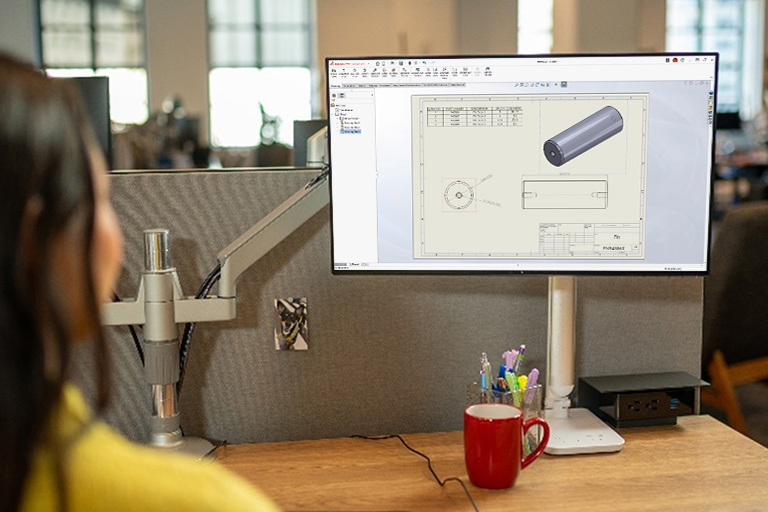
Detail drawing views fully with SolidWorks 3D CAD to quickly and easily document your designs for manufacturing, inspection, design proposals, and other uses. You can also add dimension and tolerance, and annotate directly in your 3D models, speeding up design, saving time and development costs, and increasing productivity.
CAD Dimensioning, Tolerancing, and Annotations Overview
SolidWorks provides dimensioning, tolerancing, and annotating for both 2D drawings and 3D models:
- For 2D drawings, you can fully detail drawing views to quickly and easily document your designs by using tools that automate the creation, placement, and arrangement of dimensions in 2D. SolidWorks also provides tools to automate the creation of intelligent geometric tolerances.
- Dimension, tolerance, and annotate directly in your 3D models, which can then be displayed automatically in the appropriate drawing views in your 2D drawings.
- Choose to go “drawing-less”—simply display dimensions, tolerances, and annotations in the 3D model only, and skip the creation of 2D drawings altogether.
The model-based definition (MBD) workflow, which permits design through manufacturing without the need for 2D drawings, is supported through the combination of SolidWorks and your choice of SolidWorks Certified Gold Partner products. These products are fully integrated with SolidWorks so that all the dimension and tolerance information is accessible at all times and downstream functions, such as CAM, tooling design, inspection, and export/import of 3D PDF with product manufacturing information (PMI), can be completed without having to leave SolidWorks. In addition, because SolidWorks Certified Gold Partner products are built on SolidWorks and have associativity with SolidWorks files, you never have to worry about exporting, importing, and repairing data if a design change occurs.
SolidWorks dimensioning, tolerancing, and annotation capabilities include:
- Support for Drafting Standards: ANSI, ISO, DIN, JIS, BSI, GOST, GB
- Manual and automated dimensioning and tolerancing, including geometric tolerancing
- Automated geometric dimensioning and tolerancing per ASME Y14.5/Y14.41 and ISO 1101/16792
- Standard or geometric tolerancing types are supported
- Meet ASME Y14.41 and ISO 16792 3D dimensioning and tolerancing standards
- Add dimensions during modeling and/or during drawing creation
- Use baseline, reference, ordinate, and other dimension types
- Fully control the appearance of dimensions and dimension lines
- Automatically compare drawings to identify differences
- Hole callouts—clearly identify all hole types shown on the drawing
- Symbols for datums, datum features, weld beads, weld caterpillars, dowel pin, surface finishes, etc.
- Tables for bill of materials (BOM), holes, cut lists, welds, sheet metal bends, revisions, punches, electrical information, and many more
- End treatment callouts for weldments and structural designs
- Dimensioning during 3D modeling and/or during drawing creation
The functions for drawing detailing include:
- Automatically arrange and align annotations
- Reuse existing 2D blocks or create your own blocks
- Display or hide threads on drawings
- Auto-ballooning to call out components – including balloons, stacked balloons, etc.
- Control display of center mark, center line, lines, fill, and blocks
- Fully control the appearance of dimensions and dimension lines