Front Page www.SolidWorks.com

 
Home SolidWorks Web Site Subscribe Contact Us Archive
 
archive
 

SolidWorks Express Archives


Return to SolidWorks Express


Feature News  |  Case Studies  |  Partner Updates

TechContent_inc_tips
arrowTechnical Tips

Pick from the following tech tip categories:

Add-ins Administration Analysis API
Assembly Data Management Drawing Import/Export
Modeling Sketching Sheetmetal User Interface

.
Add-ins
.
.
.
Making Designs More Consistent with Design Checker
SolidWorks Design Checker helps you define and check your CAD standards
.
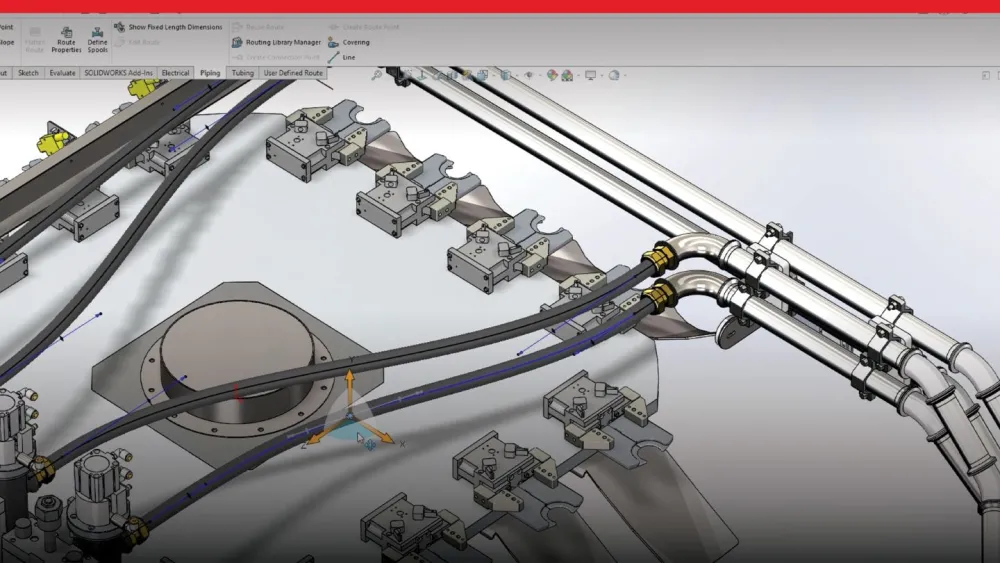
SolidWorks Routing content and references
References and content for the routed systems add-in
 

Making Designs More Consistent with Design Checker

.
Administration
.
Clean uninstall and update of SolidWorks
Understand how to install a new version of SolidWorks
.
Keeping your system safe and healthy
Learn about anti-virus applications, SolidWorks Rx, and other utilities SolidWorks recommends to keep your system running well
.
Deploy SolidWorks more easily with Administrative Director
Use the Administrative Director to deploy SolidWorks to multiple users
.
.
.
.
.
.
..
..
..
..
..
Troubleshooting checklist
Checklist from troubleshooting SolidWorks and computer related issues
..
SolidWorks Rx - The Computer Doctor is In
SolidWorks Rx assists your computer support technician even when you can't
..
Use batch files to automate your administrative task
Use simple batch file to automate tasks
.
What makes a good CAD manager?
In a SolidWorks environment, a good CAD manager will improve your company's productivity, product quality and total cost of ownership.
.
Analysis 
.
Let COSMOSWorks simplify your next up-front drop test
.
Use finite element modeling to exploit planes of symmetry
How to use finite element (FE) modeling to exploit planes of symmetry or anti-symmetry
.
Extend the analysis and reuse of your design information
Furthering analysis and re-use of your design information
.
Go with the Flo (FlowWorks)
Go with the flow: Use SolidWorks' MoldflowXpress to create better injection-molded plastic parts
API
.
Automate Show/Hide References using a Macro
Use a macro to turn on/off referenece plances, axes, etc.
.
Create Custom Programs and Macros for SolidWorks
Example use of the API to modify custom properties
.
How to list configuration specific dimensions
Use macros to list configuration specific dimensions in your design
.
Launch a VBA in SolidWorks
Learn how to launch a exe file from a SolidWorks macro
.
Reduce repetitive tasks
Using macros to automate tasks
.
Reference and Save utility
Macro example for saving file and their references
.
Use macros to create programs
General API and macro related topics
 
Assembly
.
Using Advanced Selection
Use advanced selection to help select what you want within an assembly
.
Assembly and drawing performance checklist
List of  topics to review when performance counts within a drawing or assembly
.
Add Value to Your Designs with 2D Layout Sketches
Using layout sketches to drive your design and document design intent
.
How to increase assembly performance
Additional ideas and methods that can be used to help improve assembly performance
.
How to plan assemblies for top-down design
Learn more about in-context, top-down design
.
Plan a Better Assembly
Step to take and things to consider when starting an assembly
.
Things you may not know about assemblies
Little-known facts can add up to big improvements in productivity
.
Data Management
.
Advantages of using PDMWorks Advanced Server
Features and advantages of the PDMWorks Advanced server
.
Data management basics
Basic concepts and principles of data management
.
How to collaborate using a multi-document system
Working with others on the same project
.
How to maximize your use of PDMWorks software
References and resources for PDMWorks
.
PDMWorks revision schemes
Learn more about setup and using revision schemes in PDMWorks
.
Drawing
.
Add design intent with model annotations
Capturing and re-using your design intent using model dimensions, tolerances, and annotations
.
.
Benefits of using drawing layers
Use drawing layers to control visibility
.
Check Your Drawings for Spelling Errors
SolidWorks checks your drawings and drawing formats for misspellings.
.
Configuring hole callouts
Customize your hole callouts to fit your needs
.
Extend functionality with OLE Objects
Use OLE objects to show SolidWorks document in other applications
.
Make the Most of Your Design Intent
Increase Efficiency by Reusing SolidWorks Dimensions and Annotations
.
Simplify the design process with drawing tables
Use drawing tables to show hole, revision, or BOM information
.
Use custom properties to annotate a drawing format
Automate your drawing template using custom properties
 .
Import/Export
.
Healing imported geometry
Learn how to heal improted geometry issues
.
Sharing data and import diagnostics
Things to consider when share data in other file formats
.
Modeling
.
Advanced modeling features
New feature types and options for advnaced modeling
.
.
Control Parent/Child Relationships
Understand how features are related to one another and the releationships that are formed when part modeling
.
Design better plastic parts
Learn how SolidWorks can make plastic part modeling easier
.
Documenting design intent
Learn how to capture and document the important features within your design
.
External and defined-in-context references
Use how to create and manage external and in-context references
.
Freeform modeling
Learn about how to create free form models
.
How to maximize your use of fillet features in SolidWorks
Examplaination of the different types and uses for the fillet feature
.
Use equations to define relationships between dimensions
Use equations to define design intent
.
How to use pattern and mirror commands
Learn more about the pattern and mirror features
.
Top 10 underused features in SolidWorks
List of the top 10 under used features in SolidWorks
 

Using functional features to build plastic parts

.
Sketching
 

Using Sketch Pictures to capture design intent

.
Create Better Sketches
Techniques to create better sketches
.
Create Sketches with Design Intent in Mind
Create your sketches to capture design intent
.
.
Sheetmetal
 

Fundamental concepts of sheet metal design in SolidWorks


More about sheet metal capabilities in SolidWorks

.
Simplify the creation of sheet metal concepts
Use sheetmetal features to help automate the create of sheetmetal parts
.
How to improve sheet metal part design
Learn about enhancements to the sheetmetal capabilities
.
User Interface
.
Use visual clues to better define and understand 3D models
Understand the visual clues given by SolidWorks to create better designs faster
.
Track Your Models with FeatureManager
Using named features makes your designs easier to work with and modify
.
Use Feature Order to Document Design Intent
Use feature order to capture design intent and make your designs easier to work with and modify
.

Feature News


  Product News

  Programs

 Awards & Contests

  Education

  Videos

Back to top


Case Studies

Back to top


Partner Updates