SOLIDWORKS for Makers | 3D CAD License for Personal Use
A full 3D CAD license for hobbyists, home and personal use. Download the desktop edition or design in the browser. SOLIDWORKS for Makers, $48 USD a year.
SOLIDWORKS
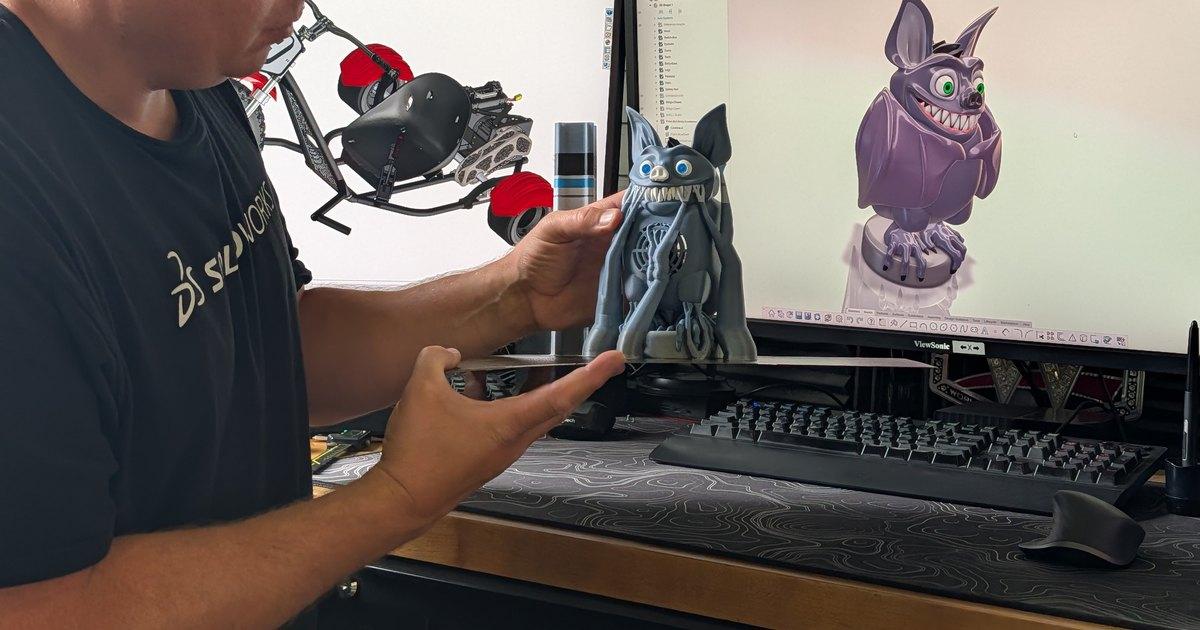
SOLIDWORKS helps Tyler Csatari, a popular social media influencer, turn diverse concepts into working mechanical systems for entertainment engineering.
Translate creative concepts into manufacturable assemblies by resolving mechanical constraints, such as torque transfer, weight balance, and synchronized motion.
Leverage SOLIDWORKS Design tools to model every component before fabrication, including hinge mechanisms, pulley routing, and structural elements.
For engineers with design ideas, the gap between concept and execution is where most ideas fail. For independent builders and Makers without formal training, that gap is even wider. Design decisions carry immediate consequences: Weight, force, motion, and controllability all interact in ways that are difficult to predict without a structured design process.
Tyler Csatari has a lot of fun operating in that gap. A content creator with over 4 million followers across TikTok (3M+), Instagram (900K+), and Facebook (250K+), Csatari focuses on challenge-based mechanical fabrication builds, or designing and building systems he has never attempted before. His goal, beyond replicating appearances, is to create functional systems, what he calls practical cosplay, where the mechanics work as intended.
Csatari notes, “I like projects that sound difficult. You learn so much.” That mindset of starting without complete knowledge and solving forward set the foundation for his most complex build—an exoskeleton.
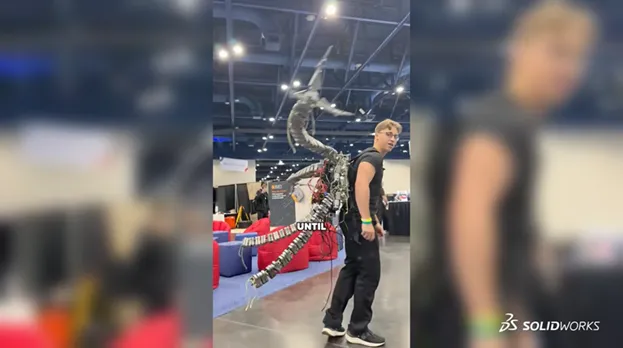
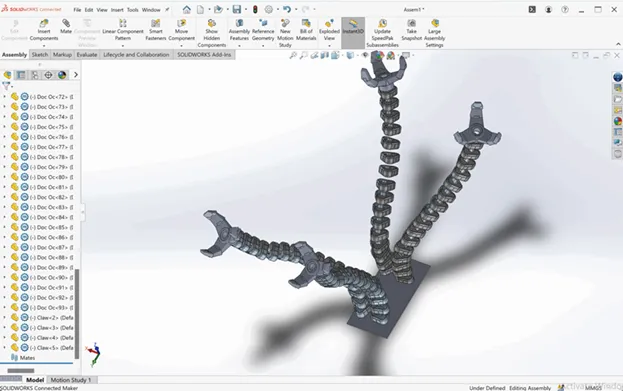
Csatari’s exoskeleton design required four independently controlled arms that move fluidly while maintaining structural integrity. Each arm needed to extend outward, carry its own weight, and react to inputs without collapsing under load. Csatari notes, “The challenge is torque. The farther an arm reaches, the more force the base needs to support it.”
The exoskeleton development also required it to be wearable, yet motors at every joint would increase weight and complexity, creating new failure points. Therefore, the design needed to balance force transmission, weight distribution, and controllability within a constrained form factor.
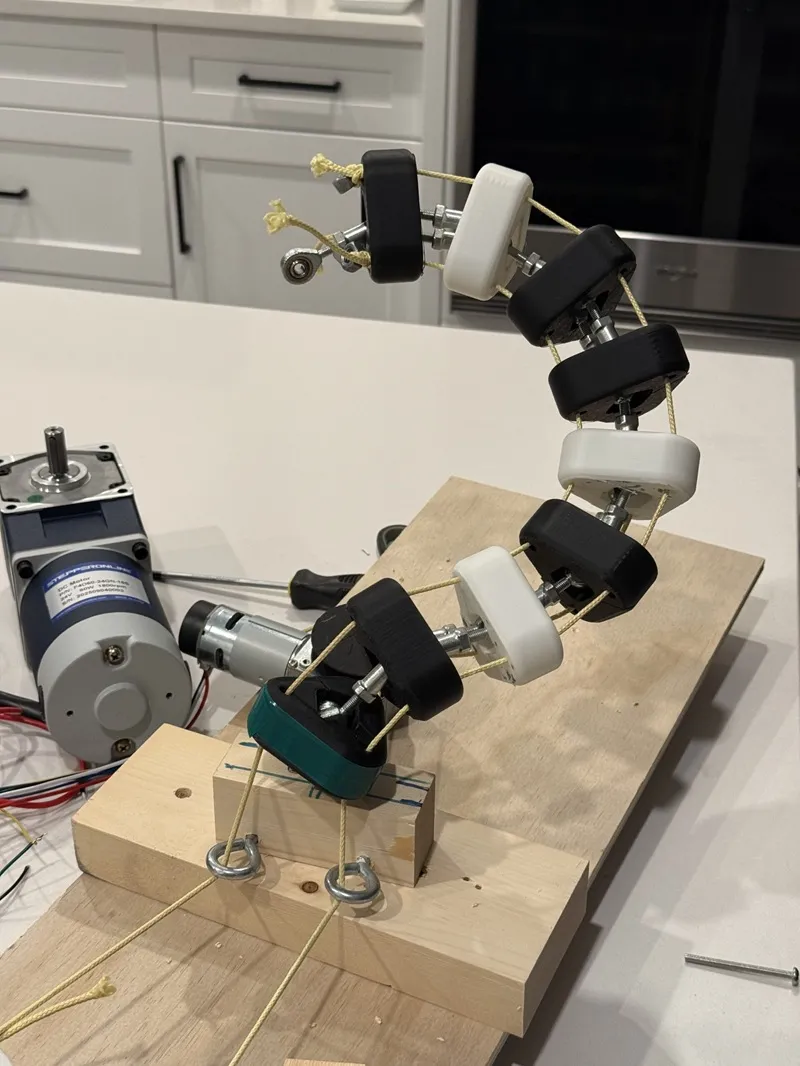
Csatari addressed these constraints through a cable-driven system modeled entirely in SOLIDWORKS Design®. He routed Kevlar cables through a chain of 3D-printed vertebrae connected to motors mounted on a backplate instead of placing motors at each joint.
Each arm operates along three controlled cables, allowing multi-axis motion while minimizing weight. The pulley-based architecture distributes force more efficiently, reducing the load required at the base while maintaining range of motion. Flexion, kinematics, and durability had to be considered for this wearable device and its parts.
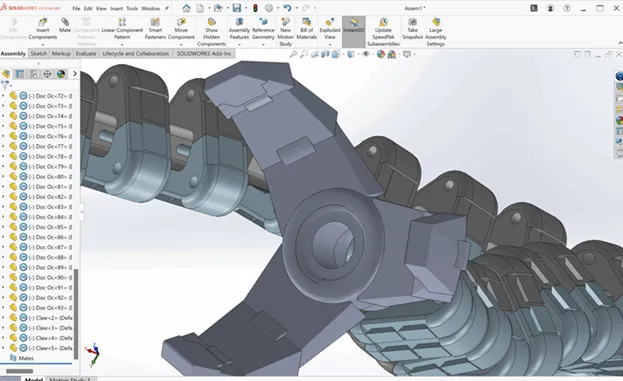
Csatari modeled each component digitally before printing, including hinge geometries, bearing interfaces, and mounting structures. This enabled him to refine motion behavior and structural relationships before fabrication.
A full 3D CAD license for hobbyists, home and personal use. Download the desktop edition or design in the browser. SOLIDWORKS for Makers, $48 USD a year.
SOLIDWORKS
Discover SOLIDWORKS Design, the industry-standard 3D CAD software with cloud collaboration, secure file management, and AI-powered features.
SOLIDWORKS
The ability [of SOLIDWORKS] to sculpt a shape of what you can imagine in your head is the quickest path ever from the ideation to the actual result of what you want.
Csatari prefers SOLIDWORKS for several reasons: “It was more accessible. You could work offline, work online. There's so many different tools, so it just kind of seemed like the right fit.”
He also enthuses, “The ability [of SOLIDWORKS] to sculpt a shape of what you can imagine in your head is the quickest path ever from the ideation to the actual result of what you want.”
Using SOLIDWORKS enabled Csatari to maintain a disciplined workflow where design decisions in the exoskeleton development were resolved digitally rather than physically. Instead of iterating numerous prototypes, Csatari validated structural concepts, motion paths, and component relationships in the CAD model before committing to physical builds.
Csatari adds, “I began [the exoskeleton project] when I started to get really good at SOLIDWORKS. I discovered lots of features that make designing 10 times faster, 10 times easier.”
This approach throughout the design process reduced rework and enabled him to manage system complexity across multiple interacting mechanisms and subsystems. The cable-driven design particularly demonstrates how modeling informed the non-obvious solution of achieving controlled motion without excessive hardware in the final mechanical structure.
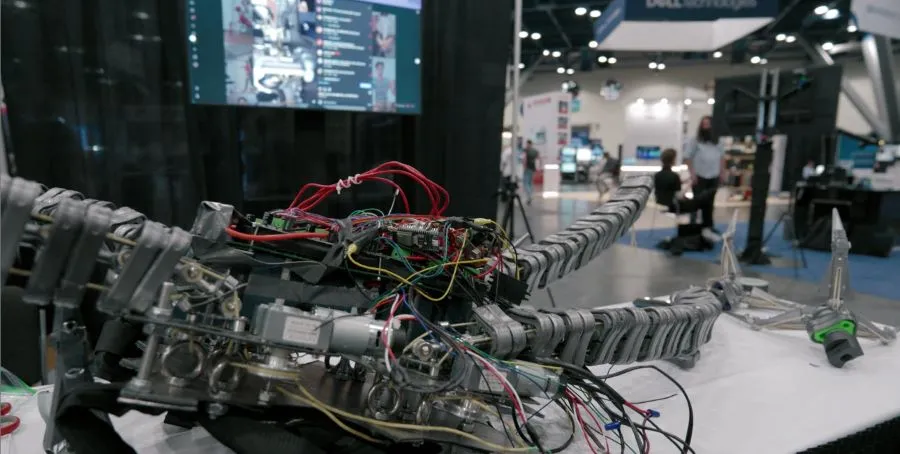
The workflow also accelerated development. Csatari notes that thanks to SOLIDWORKS, designs that once felt overwhelming could be executed rapidly once modeled. The model itself became the foundation of the project, defining geometry, behavior, and assembly logic before any part was materially produced.
Csatari’s project demonstrates that when design issues are resolved digitally upstream, execution becomes much more predictable. SOLIDWORKS supports that shift by enabling builders and Makers to define, test, and refine complex mechanical systems before fabrication begins.
The virtual‑prototype in SOLIDWORKS enables users to quickly explore design alternatives and recognize good and bad ideas sooner, which accelerates innovation. Features such as interference checking and the ability to simulate motion to avoid collisions helped Csatari turn his ideas into reality faster and more efficiently.
SOLIDWORKS can improve the likelihood that your ideas will translate into functional and desirable hardware on your first build.
Innovate faster, design better & grow your career with SOLIDWORKS. Choose the industry standard 3D CAD solution trusted by professionals worldwide.
SOLIDWORKS
Discover advancements in AI CAD tools and their impact on AI product design and how this delivers real-world outcomes for SOLIDWORKS designers.
SOLIDWORKS
Discover what unified Modeling & Simulation (MODSIM) is and how it transforms product design, enabling real-time collaboration and faster innovation.
SOLIDWORKS
This guide will help you evaluate CAD system criteria such as ease of use, collaboration capabilities, data management, and scalability.
EBooks
SOLIDWORKS solutions enable you and your team to quickly transform new ideas into great products.