Accélérez la commercialisation des produits grâce à SOLIDWORKS
Commencez votre période d'évaluation et découvrez pourquoi 8 millions d'ingénieurs font confiance à SOLIDWORKS, la référence en matière de CAO 3D dans l'industrie.

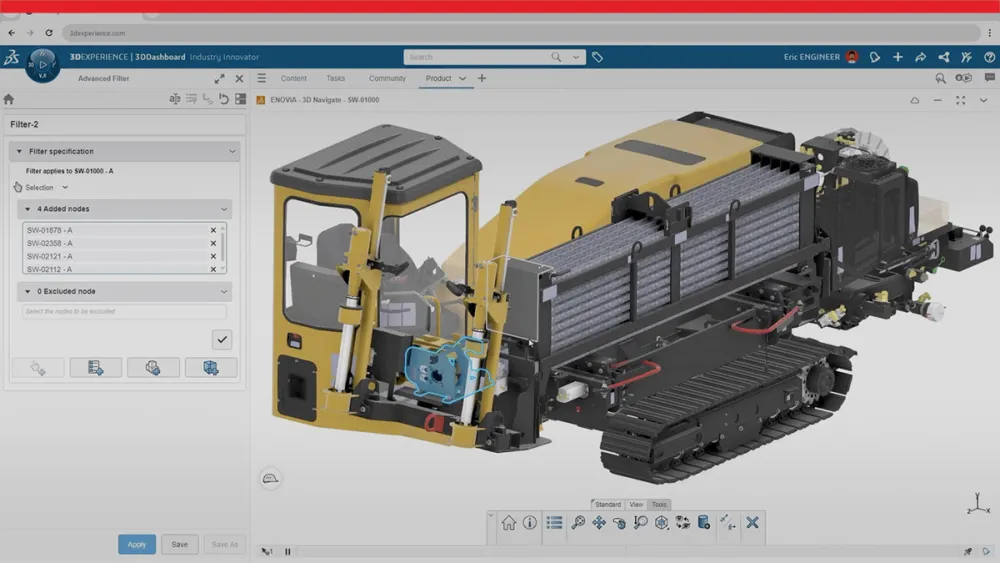
Mettez en place un environnement de conception de CAO 3D avancé qui intègre vos équipes d'ingénieurs et accélère les cycles de développement de vos produits tout au long de votre processus de conception. SOLIDWORKS Design fournit les outils essentiels pour concevoir des assemblages industriels précis, valider les propriétés mécaniques et garantir l'intégrité des données tout au long de votre flux de travail.
Principales fonctionnalités de la technologie de CAO 3D
Automate Your Design Workflow

Eliminate repetitive tasks through intelligent automation that preserves design intent. Configure custom templates, establish standardized start parts and implement macros to accelerate complex mechanical builds. Design tables enable automated model generation to expedite project completion.

Production-Ready Technical Documentation
Generate precise 2D documentation directly from your 3D models. Provide your manufacturing teams with exact specifications required for first-pass accuracy. This eliminates errors and reduces production cycle times.
Comprehensive Import and Export Capabilities
Support for more than 30 native and neutral 2D and 3D file formats. Maintain design data accuracy when transferring files to external suppliers or internal departments. Integrate efficiently with other CAD platforms.

Teamwork, Collaboration and Review
Maintain alignment from design through manufacturing. Managers, engineers and stakeholders can complete the design review and annotate work through cloud-integrated tools. Establish efficient feedback workflows that reduce revision cycles and accelerate approval processes across the whole design team.
La preuve par l'essai
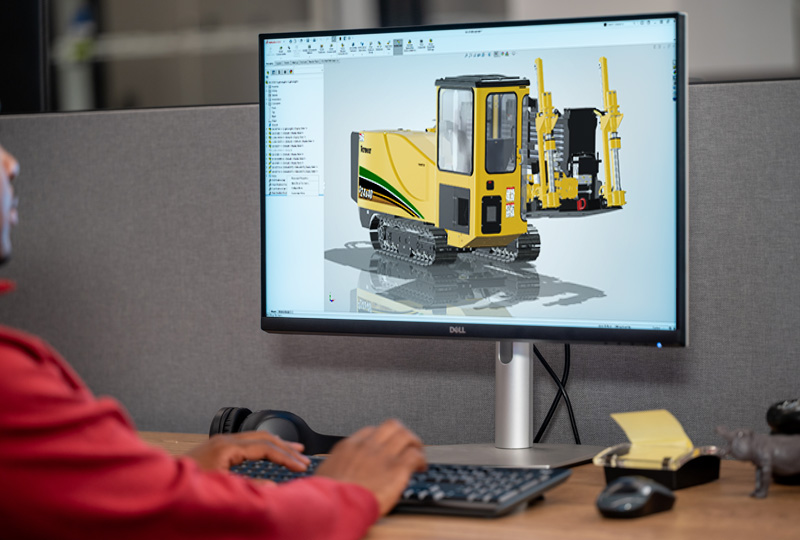
Commencez votre période d'évaluation de SOLIDWORKS Design et découvrez à quelle vitesse vous pouvez passer d'une conception 3D à un projet finalisé, en utilisant les outils dont vous avez besoin, sans aucun engagement. Essayez dès maintenant SOLIDWORKS Design Premium ! Aucune attente, aucune installation requise.
Inscrivez-vous dès maintenant pour accéder aux dernières versions de SOLIDWORKS Design, SOLIDWORKS Simulation, SOLIDWORKS MBD, SOLIDWORKS CAM et SOLIDWORKS Visualize.
Une conception qui va au-delà de la CAO 3D
Local Support
Dedicated support from a SOLIDWORKS Reseller Partner will help you onboard, implement, and optimize your tools so you can get more value from your investment and bring higher-quality products to market faster.

User-Driven Innovation
SOLIDWORKS R&D keeps you competitive with user-driven enhancements, delivering five annual releases packed with new features, performance improvements, and tools that streamline design and reduce repetitive work.

More than CAD
SOLIDWORKS Design licenses deliver more than CAD by bringing together advanced integrated design capabilities with CNC programming, AI Virtual Companions, teamwork tools, and built-in data management to help teams work smarter from concept through production.

Global Industry Standard
SOLIDWORKS is backed by a global community of more than 8 million passionate users, and as an industry standard trusted by suppliers and manufacturers worldwide, it ensures you can collaborate seamlessly and work with confidence across the entire product ecosystem.
Découvrez d'autres ressources SOLIDWORKS Design
Découvrez les ressources SOLIDWORKS Design pour comprendre le produit, comparer les offres et voir comment l'IA transforme les flux de travail d'ingénierie. Plongez dans l'univers de SOLIDWORKS pour découvrir pourquoi des équipes du monde entier choisissent ce logiciel et comment vous pouvez tirer le meilleur parti de vos outils de conception de produits.
Foire aux questions
How does SOLIDWORKS accelerate product development cycles?
Can I share my designs with team members who don't have SOLIDWORKS?
What industries benefit most from this mechanical CAD solution?
Are the 2D drawings linked to the 3D models?
Does SOLIDWORKS offer perpetual, term, or shareable licenses?
Où trouver de l'aide ?

Identifier la solution flexible qui vous convient
Contactez un expert SOLIDWORKS pour discuter de vos besoins.

Contacter l'assistance SOLIDWORKS
Bénéficiez du support technique pour les produits SOLIDWORKS et découvrez comment développer vos compétences en conception d'ingénierie.

Acheter les solutions SOLIDWORKS
Les options d'achat flexibles vous permettent de choisir la licence qui correspond le mieux à vos besoins.
Vous avez des questions sur SOLIDWORKS Design ?
Nous vous aidons à identifier la solution la plus adaptée à votre équipe.