SOLIDWORKSで製品の市場投入を迅速化
トライアルを開始して、800万人のエンジニアが3次元CADの業界標準としてSOLIDWORKSを信頼している理由をご確認ください。

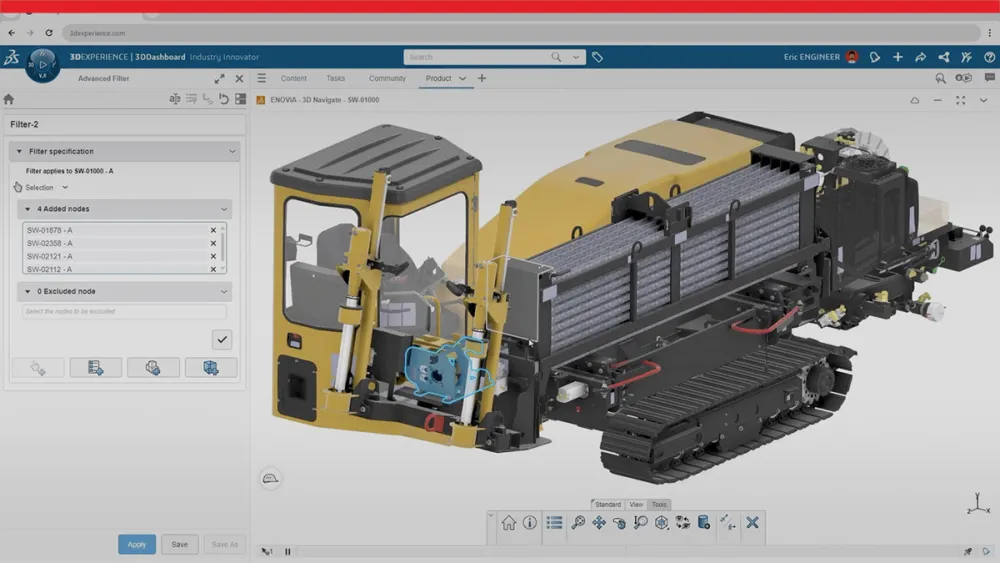
エンジニアリング チームを統合し、設計プロセス全体で製品開発サイクルを加速する高度な3次元CAD環境を導入できます。SOLIDWORKS Designには、高精度な産業用アセンブリの設計、機械的特性の検証、ワークフロー全体でのデータ整合性の確保に必須の重要なツールが搭載されています。
3次元CADテクノロジーのコア機能
Automate Your Design Workflow

Eliminate repetitive tasks through intelligent automation that preserves design intent. Configure custom templates, establish standardized start parts and implement macros to accelerate complex mechanical builds. Design tables enable automated model generation to expedite project completion.

Production-Ready Technical Documentation
Generate precise 2D documentation directly from your 3D models. Provide your manufacturing teams with exact specifications required for first-pass accuracy. This eliminates errors and reduces production cycle times.
Comprehensive Import and Export Capabilities
Support for more than 30 native and neutral 2D and 3D file formats. Maintain design data accuracy when transferring files to external suppliers or internal departments. Integrate efficiently with other CAD platforms.

Teamwork, Collaboration and Review
Maintain alignment from design through manufacturing. Managers, engineers and stakeholders can complete the design review and annotate work through cloud-integrated tools. Establish efficient feedback workflows that reduce revision cycles and accelerate approval processes across the whole design team.
トライアルで効果を実感
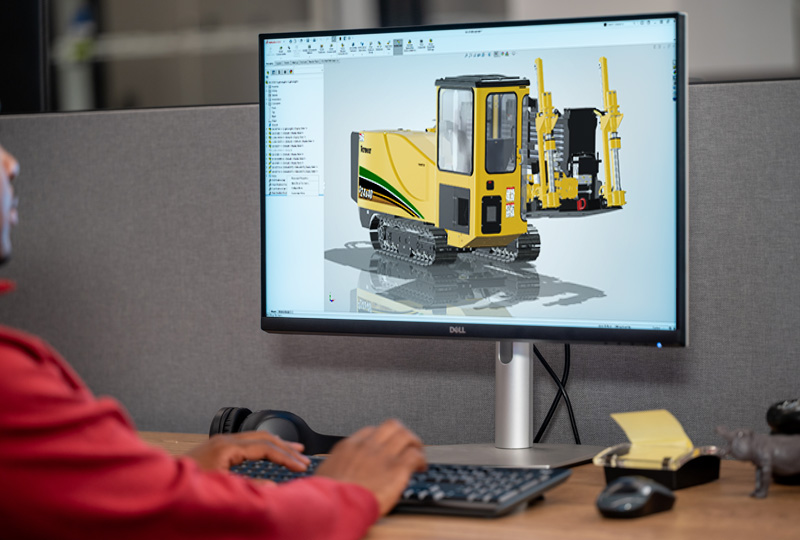
まずはSOLIDWORKS Designトライアルを開始し、必要なツールで3次元設計コンセプトから最終設計まで、どれだけ迅速に進められるかをご確認ください。契約は不要です。SOLIDWORKS Design Premiumを今すぐお試しください。待ち時間もなく、インストールも不要です。
今すぐサインアップして、最新のSOLIDWORKS Designリリース、SOLIDWORKS Simulation、SOLIDWORKS MBD、SOLIDWORKS CAM、SOLIDWORKS Visualizeにアクセスしてください。
3次元CADを超えた設計体験

Local Support
Dedicated support from a SOLIDWORKS Reseller Partner will help you onboard, implement, and optimize your tools so you can get more value from your investment and bring higher-quality products to market faster.

User-Driven Innovation
SOLIDWORKS R&D keeps you competitive with user-driven enhancements, delivering five annual releases packed with new features, performance improvements, and tools that streamline design and reduce repetitive work.

More than CAD
SOLIDWORKS Design licenses deliver more than CAD by bringing together advanced integrated design capabilities with CNC programming, AI Virtual Companions, teamwork tools, and built-in data management to help teams work smarter from concept through production.

Global Industry Standard
SOLIDWORKS is backed by a global community of more than 8 million passionate users, and as an industry standard trusted by suppliers and manufacturers worldwide, it ensures you can collaborate seamlessly and work with confidence across the entire product ecosystem.
その他のSOLIDWORKS設計リソースをご覧ください
SOLIDWORKSの設計リソースを参照して、製品の特徴やパッケージの違い、AIによるエンジニアリング ワークフローの進化をご確認ください。SOLIDWORKSが世界中のチームに支持される理由や、製品設計ツールをより効果的に活用する方法を詳しくご紹介します。
よくある質問
How does SOLIDWORKS accelerate product development cycles?
Can I share my designs with team members who don't have SOLIDWORKS?
What industries benefit most from this mechanical CAD solution?
Are the 2D drawings linked to the 3D models?
Does SOLIDWORKS offer perpetual, term, or shareable licenses?
SOLIDWORKSがお手伝いします

ニーズに合った柔軟なソリューションを探す
SOLIDWORKSの技術者に、お客様のニーズについてご相談ください。

SOLIDWORKSサポートを利用する
SOLIDWORKS製品のテクニカル サポートを利用し、エンジニアリング設計スキルを高める方法について確認しましょう

SOLIDWORKSソリューションの購入
柔軟な購入オプションにより、お客様のニーズに最適なライセンスをお選びいただけます。