What is SOLIDWORKS Simulation?

SOLIDWORKS® Simulation allows you to optimize and validate your designs with easy-to-use FEA simulation tools, directly integrated into your SOLIDWORKS Design environment. Test your designs for strength, durability, motion, heat transfer, and more, to reduce reliance on costly physical prototypes. With the software’s linear, nonlinear, static, and dynamic analysis capabilities, you can virtually validate your design before production, reducing time, prototyping costs, and effort with SOLIDWORKS Simulation.

  • Directly integrated with SOLIDWORKS Design software. Models always stay current and optimized, enabling fast iterations and design exploration.
  • Accessible to all levels of simulation expertise. SOLIDWORKS Simulation has comprehensive tools for all user levels — from entry-level designers to expert analysts.
  • Robust FEA analysis software. SOLIDWORKS Simulation includes automated meshing tools and efficient, accurate, industrial-grade solvers for quickly testing product performance.
  • Powerful linear analysis. Run structural, thermal, frequency, buckling, fatigue, and topology optimization analyses and more from the same model.
  • Advanced nonlinear and dynamic analysis capabilities. Accurately model complex material behaviors, loading scenarios, boundary conditions, and sequential multiphysics workflows.

How You Benefit From SOLIDWORKS Simulation

Integrated With SOLIDWORKS Design

Integrated With SOLIDWORKS Design

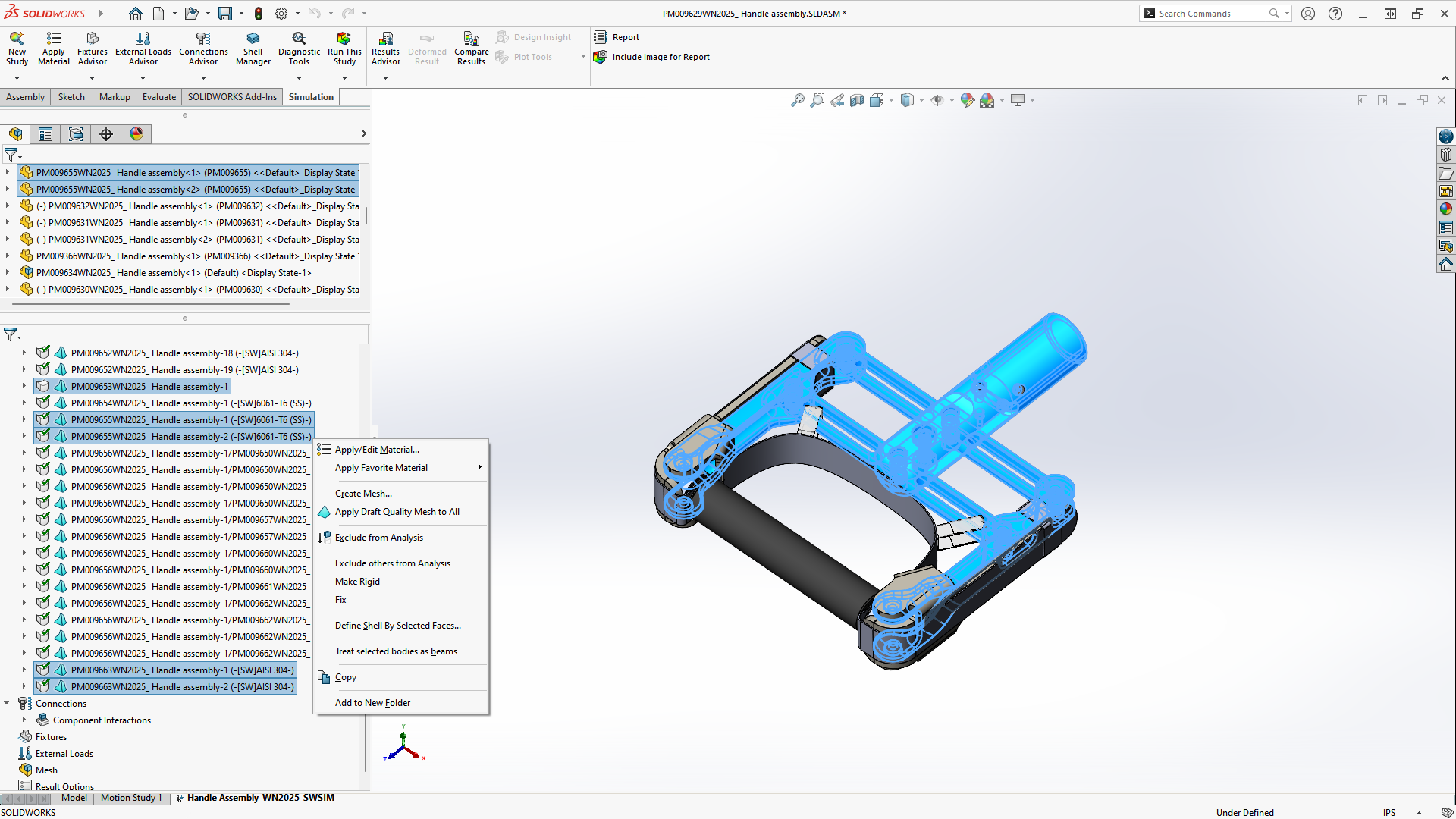
Work with the leading design tool plus tailored simulation. SOLIDWORKS Simulation is fully embedded in the SOLIDWORKS Design interface, providing users with the same ease of use in their simulation software as in their industry-standard design tool. 

Accelerate Time to Market

Accelerate Time to Market

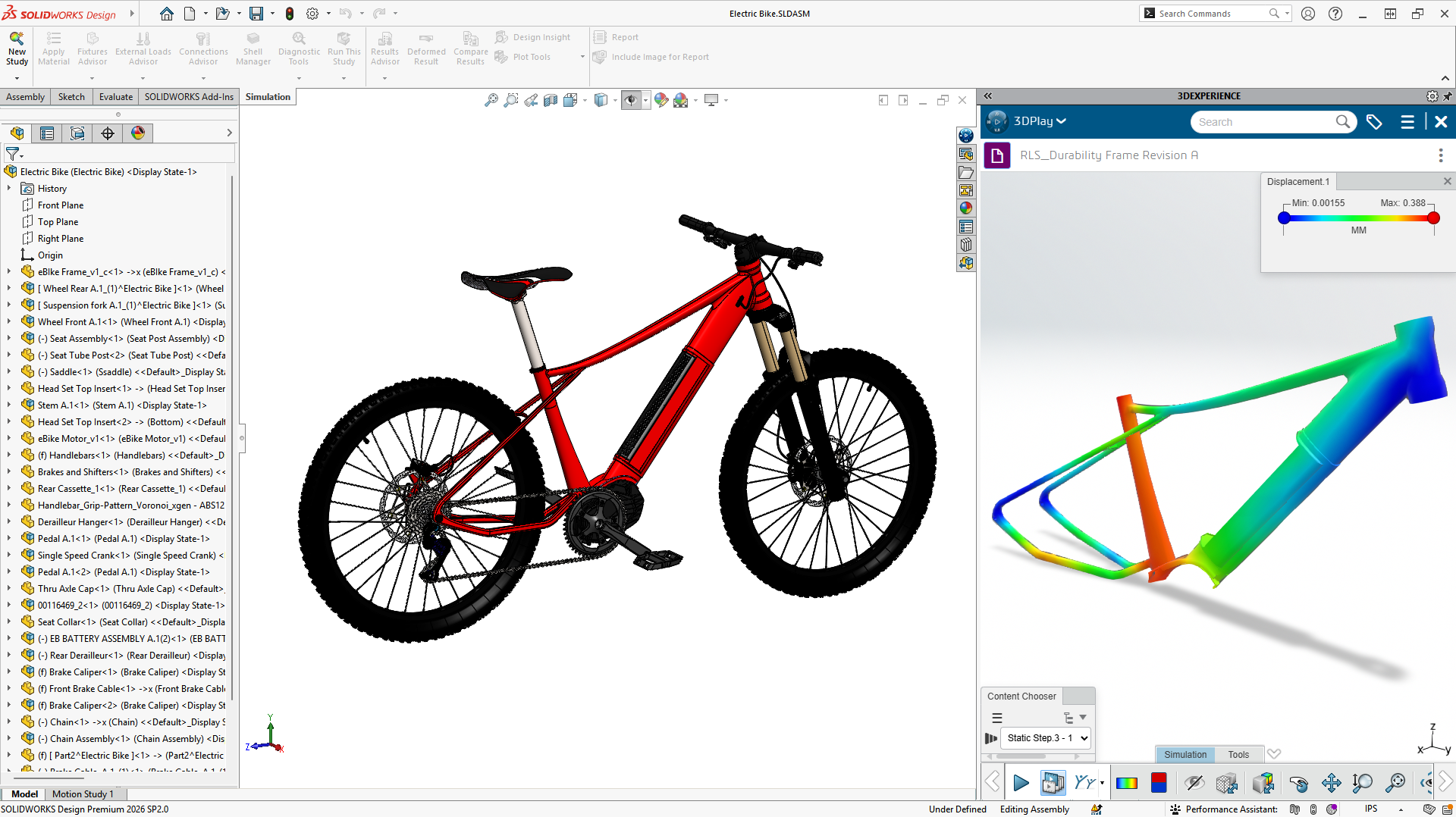
Save your time with virtual testing. Predict product performance, make informed product development decisions, and get to market faster with fewer costly physical prototypes by using SOLIDWORKS Simulation.

Comprehensive Structural Analysis Solutions

Comprehensive Structural Analysis Solutions

Be confident with proven simulation technology. With over 25 years of experience helping customers make data-driven decisions and over 12 structural FEA analysis types built in, SOLIDWORKS Simulation is the validation choice for designers and analysts alike.

Interested in SOLIDWORKS Simulation? Contact us

SOLIDWORKS Simulation Capabilities

Which SOLIDWORKS Simulation Package Is Right for You?

CapabilitySOLIDWORKS Simulation StandardSOLIDWORKS Simulation ProfessionalSOLIDWORKS Simulation Premium
Integrations
Fully Integrated in SOLIDWORKS


Manage Simulation Data on the 3DEXPERIENCE Platform


Design Exploration
Design Comparison Studies


Trend Tracker


Interactions and Connectors
Automatic Contact Detection


Advanced Interactions and Connectors


Results Explorations
Multiple Failure Criteria Models


Automated Report Generation


Model Simplification
Solid, Shell, and Beam Element Types


2D Simplification


Meshing
Automatic Meshing


Local and Global Mesh Controls


Analysis Types
Linear Static Analysis


Time-Based Motion Analysis


Fatigue Analysis


Event-Based Motion Analysis


Frequency Analysis


Buckling Analysis


Thermal Analysis


Design Study (Parametric Optimization)


Drop Testing


Pressure Vessel Analysis


Linear Dynamic Analysis


Nonlinear Dynamic Analysis


Nonlinear Static Analysis


Composites Analysis


Customers Find Success With SOLIDWORKS Simulation

SOLIDWORKS Simulation Analysis Types

Linear Static Analysis

Linear Static Analysis

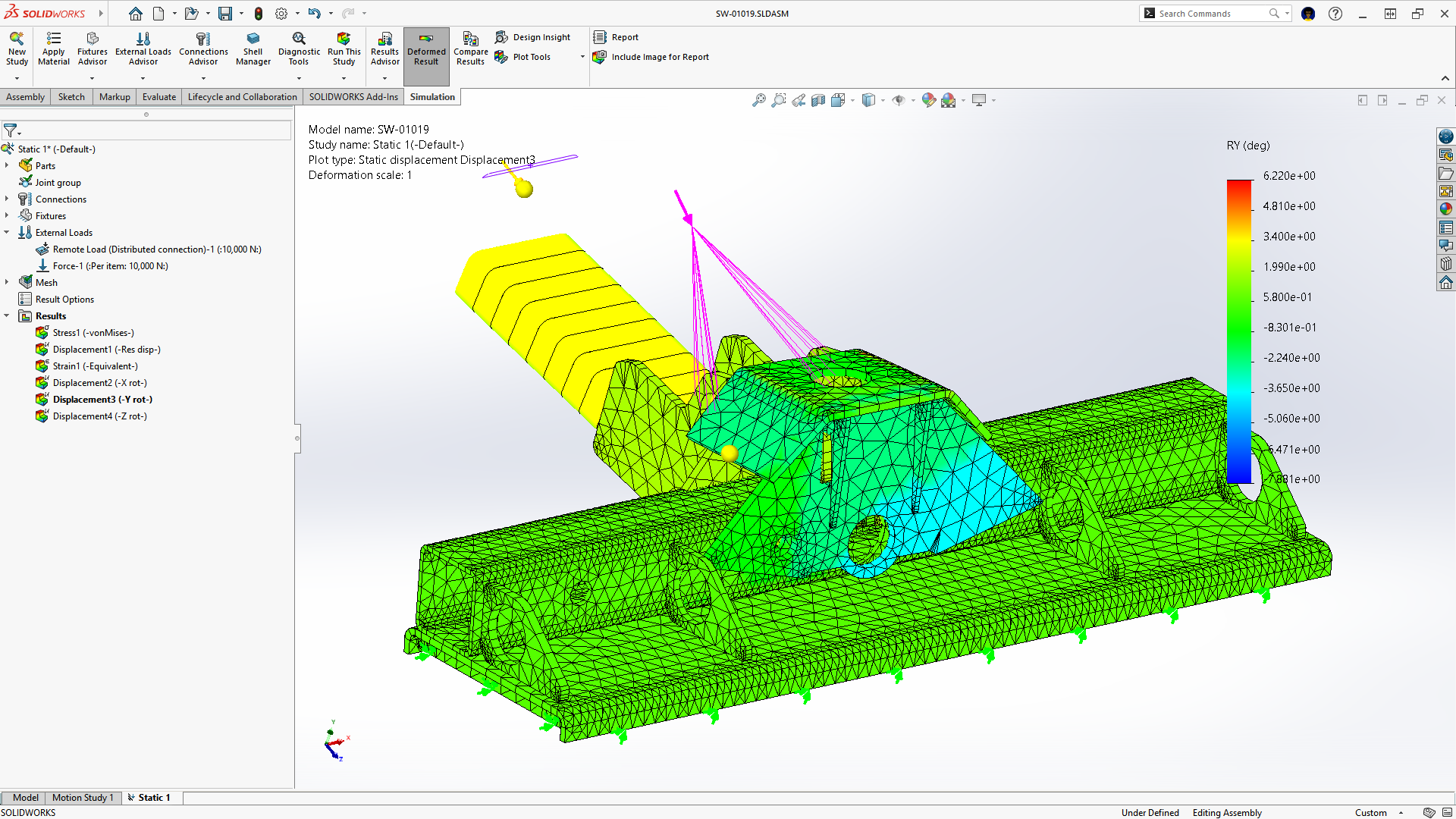
Checks to see if your design will bend or break. Calculates stress, displacement, and factor of safety (FOS) under normal operating loads. Lets you quickly validate product strength to avoid overengineering.

Nonlinear Static Analysis

Nonlinear Static Analysis

Used when designs behave in ways that a simple linear study cannot accurately capture. Includes large deflections, permanent deformation, complex material behavior like hyperelasticity or plasticity, and changes in contact conditions.

Frequency Analysis

Frequency Analysis

Identifies a part’s unique vibration characteristics to ensure it doesn’t match the vibrations of nearby oscillating loads. Lets you design around possible disturbances or failures caused by vibrating external inputs.

Thermal Analysis

Thermal Analysis

Simulates steady-state or time-dependent heat transfer effects due to conduction, convection, and radiation. Use these results to understand how heat moves through your design. Identify hot spots before they become failures, and then couple those thermal results directly into a structural study to see how that heat-induced stress affects your part. 

Buckling Analysis

Buckling Analysis

Calculates the load factor at which a slender structure (like a column or thin-walled tank) could fail under compressive loading. Ensures your tall or thin designs are properly reinforced, and allows you to select the correct materials to prevent buckling.

Fatigue Analysis

Fatigue Analysis

How long can your design last before it fails from cyclical loads? Plan for scheduled maintenance to ensure designs survive years of repeated use and loading. Fatigue analyses predict product lifespan and locations of accumulated damage.

Drop-Testing

Drop-Testing

Simulates what happens when a product is dropped and impacts a surface. This helps predict stresses, deformation, and potential damage so designers and engineers can improve product reliability.

Commonly used to replicate real-world vibration environments and qualification tests like MIL-STD. Evaluates how a structure responds to external dynamic loads. Includes study types such as harmonic response, random vibration, shock response spectrum (SRS), and modal transient analysis.

Linear Dynamic Analysis

Commonly used to replicate real-world vibration environments and qualification tests like MIL-STD. Evaluates how a structure responds to external dynamic loads. Includes study types such as harmonic response, random vibration, shock response spectrum (SRS), and modal transient analysis.

Nonlinear Dynamic Analysis

Nonlinear Dynamic Analysis

Simulates how structures respond to time-varying loads when large deformation, nonlinear materials, or complex contact behavior is present. It is useful for dynamic events where geometry could deform and interactions could change.

Time-based motion studies help engineers study rigid body motion with mates, motors, springs, dampers, and contact. Event-based motion studies drive actions from sensors, servos, timing, or task logic, simulating real-life machine behavior. This makes it easier to verify sequences, predict actuator loads, check reaction forces, and confirm machine behavior before prototyping and manufacturing.

Time- and Event-Based Motion Analysis

Time-based motion studies help engineers study rigid body motion with mates, motors, springs, dampers, and contact. Event-based motion studies drive actions from sensors, servos, timing, or task logic, simulating real-life machine behavior. This makes it easier to verify sequences, predict actuator loads, check reaction forces, and confirm machine behavior before prototyping and manufacturing.

Uses finite element analysis to model how a pressurized container responds to internal fluid pressure, temperature, and external loads. This predicts stresses, deformation, and potential failure points to ensure the vessel meets safety and design standards. This allows load cases and stress linearization to meet codes, such as the ASME boiler and pressure vessel code.

Pressure Vessel Analysis

Uses finite element analysis to model how a pressurized container responds to internal fluid pressure, temperature, and external loads. This predicts stresses, deformation, and potential failure points to ensure the vessel meets safety and design standards. This allows load cases and stress linearization to meet codes, such as the ASME boiler and pressure vessel code.

Design Study (Parametric Optimization)

Design Study (Parametric Optimization)

Provides simulation-driven design guidance by automatically varying parameters and evaluating their effect on performance while enforcing design constraints. Tools like topology optimization help identify where material can be removed while maintaining required strength and stiffness. This allows engineers to quickly converge on lighter, more efficient designs before manufacturing.

Interested in SOLIDWORKS Simulation? Contact us

Frequently Asked Questions


How Can We Help?

Speak with a SOLIDWORKS simulation expert to discuss your business and simulation needs.

Find the Simulation Solution for You

Speak with a SOLIDWORKS simulation expert to discuss your business and simulation needs.

Get technical support for SOLIDWORKS simulation products and explore ways to grow your skills.

Find Simulation Support

Get technical support for SOLIDWORKS simulation products and explore ways to grow your skills.