What is Collaborative Design?

Collaborative design is a process in which multiple individuals or teams work together to create, refine, and finalize a product or design. It emphasizes teamwork, shared knowledge, and collective problem-solving to achieve a final result. This approach is used across various fields, including product design, architecture, engineering, and more.

Why is Collaborative Design Important?

SOLIDWORKS-why-collaborative-people

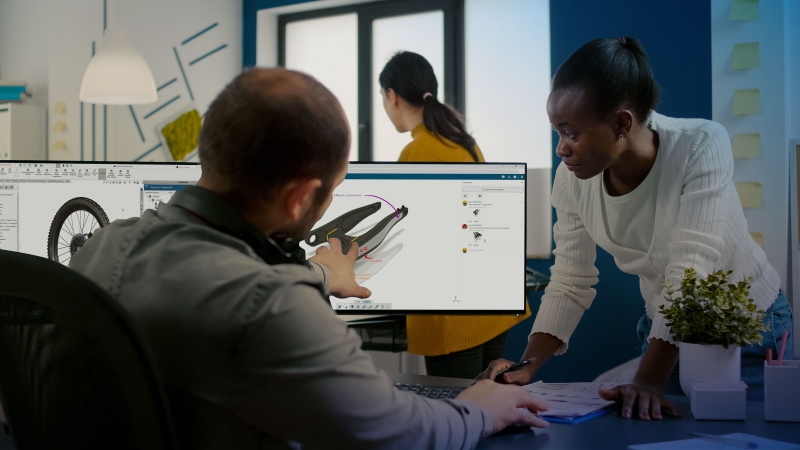
Collaborative design is critical to your product development process because it enables multiple team members to work together in real time on a uniform product definition, sharing expertise, feedback, and ideas seamlessly. This fosters innovation, improves efficiency, and ensures that all aspects of a design — such as functionality, manufacturability, and user experience — are thoroughly addressed. By enabling collaboration on a uniform product definition, you can reduce errors, streamline decision-making, and speed up the design process, ultimately leading to higher-quality products and faster time to market. 

Key Benefits to Adopting a Collaborative Design Approach

Diverse perspectives
When individuals with different skills, backgrounds, and expertise collaborate, they bring unique perspectives to the table. This diversity fosters creativity and innovation, often resulting in more novel and effective solutions that wouldn’t have emerged from just one person’s viewpoint.
 
Improved Product Quality
Different team members, such as engineers, designers, marketers, or manufacturers, can review and critique the design from different angles. This cross-disciplinary feedback loop helps identify potential flaws early, ensuring that the final product is functional, efficient, and user-friendly.
Faster problem-solving
With a team of experts working together, problems are identified and addressed more quickly. Collaborating allows for pooling knowledge and expertise. Teams can leverage their collective knowledge to find faster, more accurate solutions, unlike individuals working alone, all while fostering a culture of teamwork and cooperation.
Increased flexibility
Design requirements and market demands often evolve during the development process. Collaborative teams are more adaptable and able to shift their focus or pivot in response to changes. Collaboration enables ongoing feedback throughout the design process, making it easier to adjust to new insights or changes in user requirements.
Quicker time to market
Collaborative teams can streamline decision-making and problem-solving, reducing bottlenecks and delays. Facilitating parallel work enables different aspects of the project to progress simultaneously, accelerating the entire product development process, leading to faster time to market.
Improved communication
Communication is key. A cloud-enabled design and project management platform allows team members to collaborate in real time, sharing ideas and making adjustments instantly. This facilitates clearer communication, ensures everyone remains aligned, and reduces the chances of miscommunication that leads to costly mistakes or rework.
All SOLIDWORKS Design solutions include collaborative design Explore Cloud Services

Who Benefits from Collaborative Design?


SOLIDWORKS-Collaborative-Design-Icon

Design teams

Design teams benefit from collaborative design because it enhances creativity through diverse perspectives, improves communication and decision-making, and accelerates problem-solving. Collaboration fosters innovation, reduces errors, accelerates iterations, and ensures designs meet technical, user, and business needs effectively.

SOLIDWORKS-Collaborative-Manufacturing-Icon

Manufacturing

Manufacturing benefits from collaborative design because the approach ensures designs are optimized for production, reduces errors, and improves efficiency. Early collaboration helps identify manufacturability issues, minimizes costly revisions, and ensures smoother transitions from design to production. All of this results in faster and more cost-effective manufacturing.

SOLIDWORKS-Collaborative-Customer-Icon

Customers

Customers benefit from collaborative design as it leads to products that are more innovative, user-centered, and tailored to their needs. Close collaboration across teams ensures higher quality, better functionality, and a more enjoyable user experience, resulting in products that better meet customer expectations and solve their problems.

SOLIDWORKS-Collaborative-Marketing-Icon

Marketing

Marketing benefits from collaborative design because it affords teams early insight into product features and design elements, enabling them to create more targeted, effective content. Close collaboration ensures the product aligns with customer needs and expectations, leading to stronger messaging, better positioning, and faster market adoption.

SOLIDWORKS-Collaborative-Business-Icon

Business

Overall, businesses benefit from collaborative design because it improves product quality, accelerates time to market, and reduces costs. Cross-functional teamwork enhances innovation, ensures designs meet market demands, and minimizes errors, leading to higher customer satisfaction, competitive advantage, and increased profitability.


Collaborative Design in Practice: Proteus Motion

Proteus Motion grew from a fitness equipment startup to an industry standard by taking the collaborative design approach. With SOLIDWORKS® Design, Proteus Motion found the perfect tool to speed up its design and revision processes, connect teams across the country using the cloud, and change the fitness industry forever.

Real-Time Collaboration. Cloud Storage. Revision Management. Included with SOLIDWORKS Design Explore Cloud Services

Capabilities Checklist

Modern problems require modern solutions. Does your CAD tool provide collaborative design capabilities?

Cloud Collaboration
Cross-discipline collaborationCollaborate in real time using configurable dashboards, social communities, Kanban-style task management, activity streams, persistent chat, and video calls.
Share and markupInvite anyone, inside or outside your organization, to view, share, and mark up your 3D designs in the cloud, directly within your design interface.
ECAD/MCAD collaborationShare, compare, update, and track electrical design data, locally or in the cloud, so you can quickly resolve electrical-mechanical design issues.
Cloud Data Management
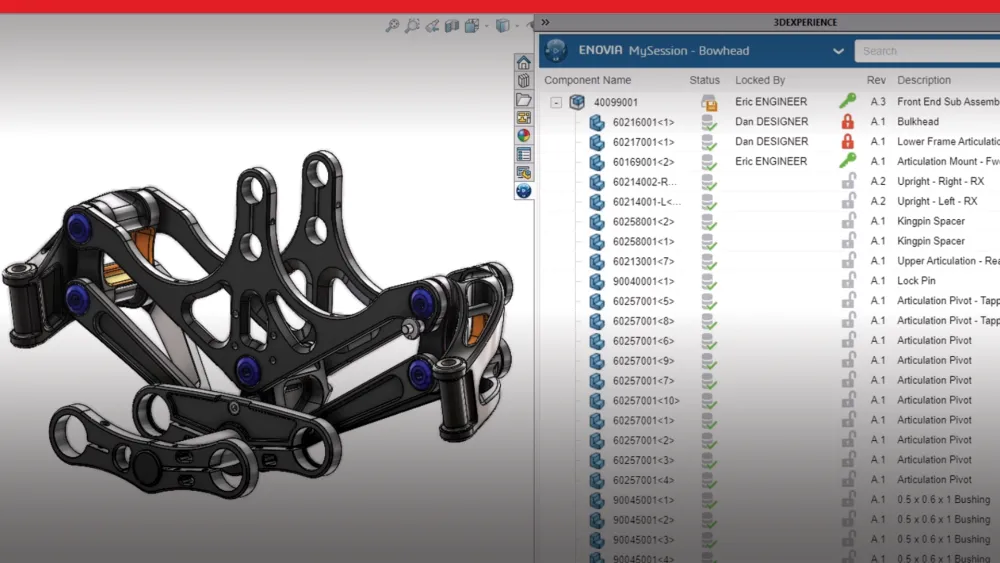
Store and reviseUtilize secure cloud storage that’s purpose-built with CAD relationships and collaboration in mind. Save your data to the cloud right from your design interface. Lock designs to ensure no one overwrites your work, easily manage revisions, and create detailed markups with redline, measurements, and annotations.
Data and life cycle managementManage the life cycle of any type of content, reduce design change conflicts with revision control, and streamline design change and approval workflows.
AdministrationUtilize secure cloud storage that’s purpose-built with CAD relationships and collaboration in mind. Save your data to the cloud right from your design interface. Lock designs to ensure no one overwrites your work, easily manage revisions, and create detailed markups with redline, measurements, and annotations.

Need collaborative design capabilities? We have you covered. All SOLIDWORKS Design solutions include cloud collaboration and data management tools, ensuring you have everything you need to adopt a collaborative design approach. 

Ready to Start Collaborating?

SOLIDWORKS provides the industry-standard CAD and cloud-based solutions that modern design teams need to adopt a collaborative design approach. SOLIDWORKS Design gives you access to modern, real-time sharing, markup, cloud-based storage, and revision management by connecting CAD data to the cloud. Watch this video for an overview of the collaborative design features included with SOLIDWORKS.

Browse Licensing and Deployment Options

The same trusted 3D CAD solution with two ways to license, deploy, and connect to the cloud. SOLIDWORKS Design is available in your choice of two options: SOLIDWORKS Design, a single-user license with named-user access across multiple devices and an immediate connection to the cloud, and SOLIDWORKS Design with Cloud Services, a device-based, machine-locked or network floating license including the ability to activate cloud capabilities when you are ready. Both options include the same 3D CAD functions, capabilities, and user interface. The difference between the two is how they are purchased, deployed, and connected to the 3DEXPERIENCE platform and Cloud Services.

Single-User License

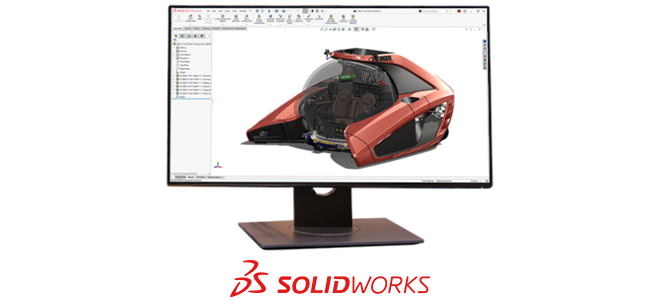
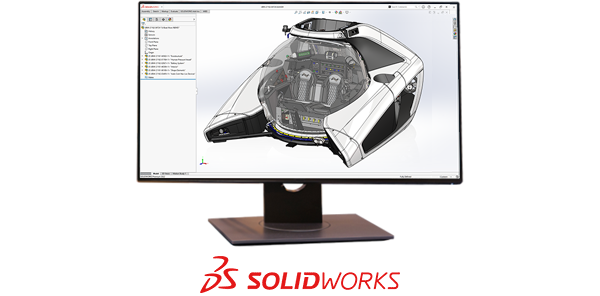
SOLIDWORKS user interface showing a 3D rendering of a NEMO submersible vehicle

SOLIDWORKS Design

  • Single-user, a cloud-based, named user license accessible on multiple devices
  • Immediate connection to cloud capabilities
  • Minimize IT overhead with a simplified local install deployed from the cloud
  • Stays up to date with each release
  • Quarterly and yearly licenses available to purchase online or through a Reseller Partner, starting at $845 USD/quarter or $2,820/year

Device License

SOLIDWORKS user interface showing a 3D rendering of a NEMO submersible vehicle

SOLIDWORKS Design

  • Device license, machine-locked, accessible by any user on a single device with a serial number
  • Activate your connection to cloud capabilities when you are ready
  • Locally-managed install or network-deployment
  • Ability to install multiple major or specific minor releases
  • Yearly licenses available to purchase online, starting at $2,820 USD/year
  • Quarterly, yearly, and perpetual licenses available to purchase through a Reseller Partner

Collaborative Design Is Powered by the 3DEXPERIENCE platform

	SOLIDWORKS-Collaborative-design-3DEXPERIENCE-Platform

Product development takes a full team, and SOLIDWORKS with the cloud helps your teams work together from any location, improving design efficiency and communication while streamlining product development to meet business goals. All SOLIDWORKS Design licenses include collaboration capabilities with Cloud Services and access to the 3DEXPERIENCE® platform, a cloud-based business and innovation platform that scales with you. Here’s a preview of what the cloud can do for you on day one:

  • Connect all stakeholders inside and outside of your organization with a single source of truth
  • Easily share and markup designs with any stakeholder in 3D
  • Store and revise models with secure, CAD-aware cloud storage
  • Access assistive, predictive, and generative AI tools, including AURA, an LLM tailored for design

Frequently Asked Questions


How Can We Help?

SOLIDWORKS Flexible Solution icon of two dialogue quote boxes

Find the Flexible Solution for You

Speak with a SOLIDWORKS expert to discuss your business needs.

SOLIDWORKS Support icon of people standing together

Find SOLIDWORKS Support

Get technical support for SOLIDWORKS products and explore ways to grow your skills.

solidworks-intuitive-user-interface-icon.png

Buy SOLIDWORKS Solutions

Flexible purchasing options give you the power to choose a license that best suits your needs.