What Is 3D Product Development? A Guide to Modern Manufacturing
Discover how advanced digital product development accelerates innovation, reduces costs, and improves design accuracy from concept to final production.

In engineering and manufacturing, 3D product development involves designing, validating, and preparing products for production. Designers and engineers use computer-aided design (CAD) software to create accurate 3D digital models of the parts and assemblies that form the complete product. By building a virtual model first, companies can test mechanical performance, optimize material use, and avoid costly errors without producing multiple physical iterations.
While 2D drawings remain important for manufacturing documentation, 3D models typically drive modern product development. These models automatically generate associative 2D drawing views, which significantly reduces manual drafting work.
The visual clarity provided by 3D product development improves communication with departments outside of engineering, such as management, marketing, manufacturing, procurement, and sales. Instead of struggling to interpret flat 2D drawings, dimensions, and engineering symbols, stakeholders can see a product’s shape, size, proportions, and functionality in a realistic 3D virtual environment. Virtual 3D objects can be rapidly transformed into physical objects through a 3D printer, allowing non-technical stakeholders to examine and evaluate tangible representations of their concepts. This capability enables both technical teams and non-engineering teams to review assemblies, explore product configurations, and identify potential issues early in the development process.
Because modern 3D CAD tools enable realistic rendering, animation, exploded views, and virtual walkthroughs, complex mechanical concepts are easier to explain during design reviews and customer presentations. As a result, teams experience fewer misunderstandings and make decisions faster, allowing engineering, manufacturing, and product management teams to align more effectively around the final product vision.
Key Characteristics of Digital Product Design
To support engineering and manufacturing success, 3D product development depends on a connected CAD environment built around three core capabilities: parametric modeling with associativity, integrated simulation, and data management. Together, these capabilities help ensure continuity from design through manufacturing.
-
Parametric Modeling
Parametric Modeling and Associativity

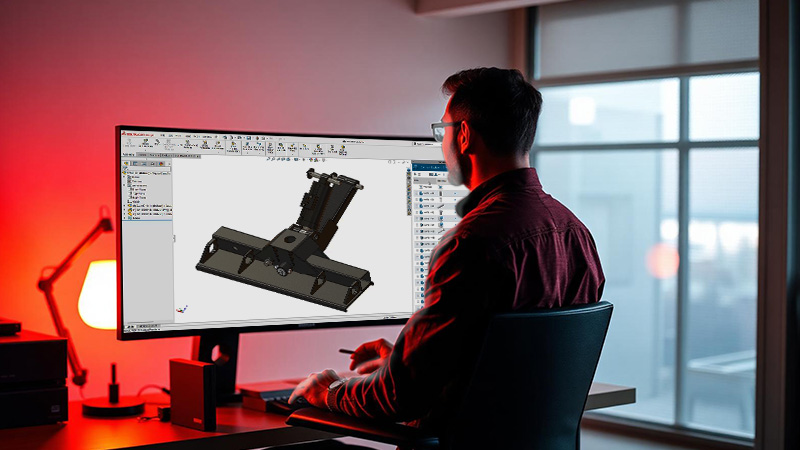
What is parametric modeling in CAD? It is a mechanical engineering approach that builds 3D geometry from parametric equations in CAD, using dimensions, constraints, and feature relationships that update intelligently as the design changes. The parametric vs direct modeling distinction matters here: parametric modeling CAD maintains the rules behind the geometry, while direct modeling does not. Associativity extends that intelligence across parts, assemblies, and 2D drawings, so when one element changes, related features and documentation automatically update to maintain accuracy and consistency across the complete product definition.
- Integrated Simulation
- Data Management

Steps in the 3D Product Development Process
Turn 3D Designs into Production-ready Products
The 3D product development process moves through a structured series of steps that take an idea from initial concept through final manufactured product. While specific organizations adapt the sequence to match their industry and scale, the fundamental steps remain consistent across aerospace, industrial equipment, consumer products, and other manufactured goods. Understanding each stage helps engineering teams best utilize resources, set realistic timelines, and avoid costly missteps.
Market Research and Idea Generation
Concept Development and Feasibility Analysis
3D CAD Design and Detailed Engineering
Virtual Prototypes and Simulation Testing
Case in Point: Resemin Heavy Mining Equipment
Faster Equipment Design with SOLIDWORKS
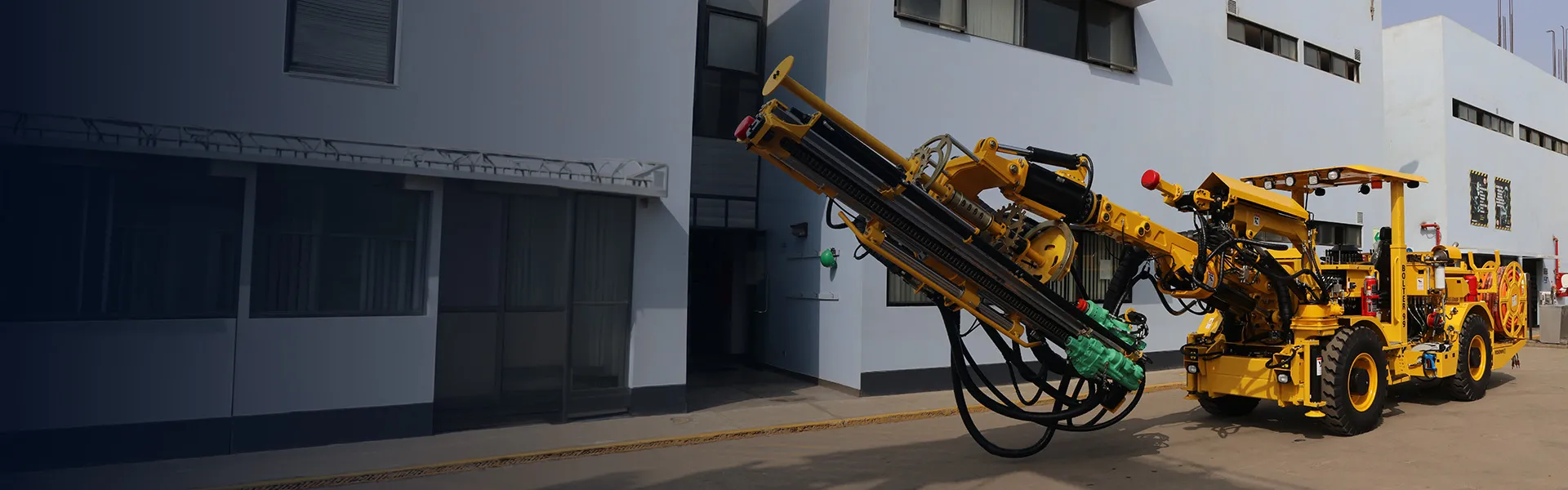
Resemin designs and manufactures heavy complex drilling machines that must survive extreme subterranean mining environments. By leveraging SOLIDWORKS® 3D CAD and SOLIDWORKS Simulation, the Resemin engineering team improved their 3D modeling precision and streamlined their testing phase.
Instead of building costly physical prototypes of massive drilling arms, Resemin tested structural loads virtually. SOLIDWORKS shortened analysis run times from two days to two hours, reduced prototyping by 70 percent, cut machine delivery times in half, and helped the company nearly double its annual throughput from 60 to 115 machines. Resemin also found that cloud-based durability simulation helped its team set up and run a nonlinear vibration and fatigue analysis three hours faster than a competitive FEA benchmark.
This shift reduced Resemin’s product time-to-market by 70 percent. The collaborative 3D product development capabilities of SOLIDWORKS allowed their global engineering teams to work together efficiently, which dramatically cut design errors and development costs.
3D Printing and Physical Validation
Design for Manufacturability and Production Planning
Product Launch and Iteration
Core Benefits of 3D Product Development
A fully three-dimensional design process provides engineering teams with a more comprehensive digital definition of a product before it is built. Teams can evaluate geometry, assemblies, materials, tolerances, and performance earlier in development, giving engineering and manufacturing teams clearer direction from concept through production.

Design Accuracy
Teams working on 3D development achieve CAD design accuracy through precise geometry, correct dimensions, well-defined constraints, and appropriately assigned material properties. Reducing design errors with 3D models is one of the core 3D modeling manufacturing benefits, since parametric modeling and associativity link features, dimensions, and relationships so changes update predictably across parts, assemblies, and drawings. These industry applications of 3D modeling support 3D prototyping, manufacturing accuracy and additive manufacturing design accuracy across the development workflow.
Simulation-driven Development
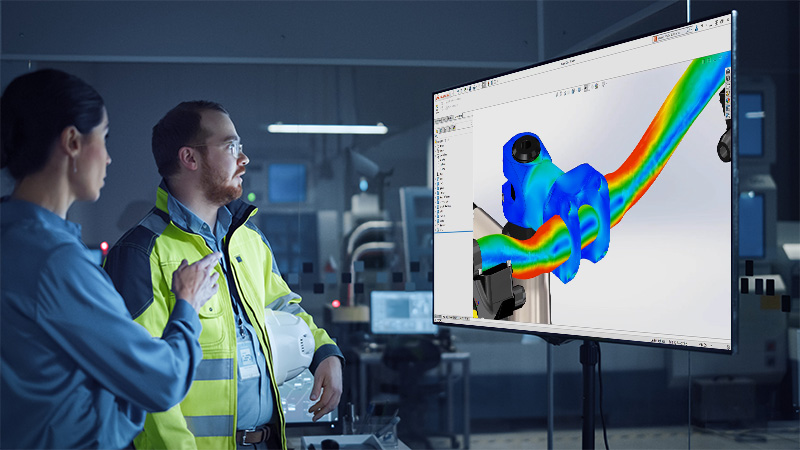
Digital-first 3D product development enables teams to test and refine designs virtually before production begins. Simulation analysis tools help engineers evaluate performance, identify issues, and improve quality earlier in the workflow. By resolving problems before physical prototypes are built, teams reduce rework, lower prototyping costs, and move from concept to production faster.
Cost-Effective Manufacturing
Design for manufacturing tools check proposed designs for manufacturability issues before production. It applies configurable rules, validates features against selected manufacturing processes, and highlights failed areas directly in the model. This helps product development teams improve quality, reduce rework, and move from design to production with fewer costly downstream changes.

Improved Collaboration
Cloud-based 3D product development tools extend collaboration across disciplines and locations. A shared 3D model gives engineering, manufacturing, suppliers, and other stakeholders a common visual reference for the latest product definition. Teams can review, interrogate, and comment on models regardless of technical savvy. With centralized data and built-in revision management, everyone works from the latest information.
Industry-Specific Use Cases for 3D Product Development
Let’s take a look at just a few industries that use 3D product development.
-
Aerospace and Defense
Aerospace and Defense
Aerospace and defense manufacturers work under demanding design, engineering, manufacturing, operational, and regulatory requirements. Product failure can pose safety risks, lead to mission failure, and raise national security concerns. For that reason, every major design decision must be controlled, documented, and traceable across the product development lifecycle. 3D product development tools support integrated technologies to ensure design precision, enable simulation of complex systems, and meet strict regulatory requirements.
- Automotive Engineering
- Consumer Product Design



SOLIDWORKS Solutions for 3D Product Development
SOLIDWORKS provides a comprehensive suite of tools designed to handle every stage of the product development process. Our solutions give professionals the exact features they need to bring innovative ideas to life.
Advanced 3D CAD Software
SOLIDWORKS Design is a trusted, industry-standard 3D CAD solution that enables designers to develop products from concept to production with speed and accuracy. Millions of professionals worldwide use its powerful modeling capabilities, intuitive user interface, production-ready documentation, and AI-powered features.
Virtual Prototyping Tools
SOLIDWORKS Simulation provides engineers with a CAD-integrated environment to evaluate performance, durability, motion, heat transfer, buckling, fatigue, and nonlinear response before building physical prototypes. Because Simulation is integrated with SOLIDWORKS Design, changes to the model update automatically across parts, assemblies, drawings, and dimensions, enabling teams to efficiently validate performance.
Cloud-Based Collaboration
Connecting SOLIDWORKS Design to the 3DEXPERIENCE® platform extends design beyond the desktop with a secure cloud environment for managing design data, controlling revisions, sharing feedback, and coordinating product development across engineering, manufacturing, suppliers, and other stakeholders.
Unique Advantages of Choosing SOLIDWORKS
SOLIDWORKS Design does more than just create 3D geometry. It offers a complete product development ecosystem that supports your business from initial concept to factory floor production.
Unrivaled Scalability
Whether you manage a startup with three employees or a global manufacturing enterprise with 3,000 engineers, SOLIDWORKS Design scales to meet your demands. Users can easily add new simulation analysis functionality, electrical design modules, or data management capabilities as the company grows and projects become more complex.
Integrated Product Lifecycle Management
Managing design data is as important as creating it. SOLIDWORKS has integrated product data management tools that help teams control revisions, manage permissions, and maintain BOM accuracy from design through release, preventing outdated files from moving downstream while keeping engineering and manufacturing aligned around the same product definition.
User-Focused Design Experience
SOLIDWORKS is known for listening to its users and turning requested enhancements into practical software improvements. It is built around how engineers actually design, with fast command access, structured design history, reusable configurations, automated, standards-based features, and early issue detection. Since day one, user feedback has helped shape all SOLIDWORKS products.
Frequently Asked Questions About 3D Product Development
What is the difference between 3D modeling and 3D product development?
How does 3D printing fit into product development?
What materials are used in rapid prototyping?
Can small businesses afford 3D product development tools?
How Can We Help?

Find the Flexible Solution for You
Speak with a SOLIDWORKS expert to discuss your business needs.

Find SOLIDWORKS Support
Get technical support for SOLIDWORKS products and explore ways to grow your engineering design skills.

Buy SOLIDWORKS Solutions
Flexible purchasing options give you the power to choose a license that best suits your needs.
Have Questions about SOLIDWORKS Design?
We can help you determine the best option for your team.