DraftSight 2D CAD and SOLIDWORKS
Explore the benefits of SOLIDWORKS and DraftSight for AEC professionals. Achieve sustainability, streamline workflows, and enhance collaboration with cutting-edge tools.
SOLIDWORKS
Restoring and Reproducing Classic Fresnel Lighthouse Lenses More Efficiently and Cost-Effectively with DraftSight 3D Design Solutions
More efficiently and cost-effectively manage and complete a growing number of Fresnel lighthouse lens restoration and reproduction projects while streamlining communication and maintaining access to the company’s valuable legacy data for design reuse.
Replace AutoCAD® 3D/2D tools with DraftSight® Premium 3D/2D design software.
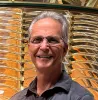
What began as an act of volunteer community service for former Disney Mechanical Designer Dan Spinella — to restore the Fresnel lens in the St. Augustine Lighthouse in Florida — has blossomed into a growing business focused on preserving, restoring, and reproducing historic Fresnel lighthouse lenses. Invented by Frenchman Augustin Fresnel in 1822, Fresnel lenses use a central magnifying bull’s-eye surrounded by concentric rings of prisms instead of a thick, heavy, curved piece of solid glass. The curved prisms bend and catch light rays that would normally escape upward or downward, pulling them into a tight, intense, concentrated beam that is visible to ships at sea.
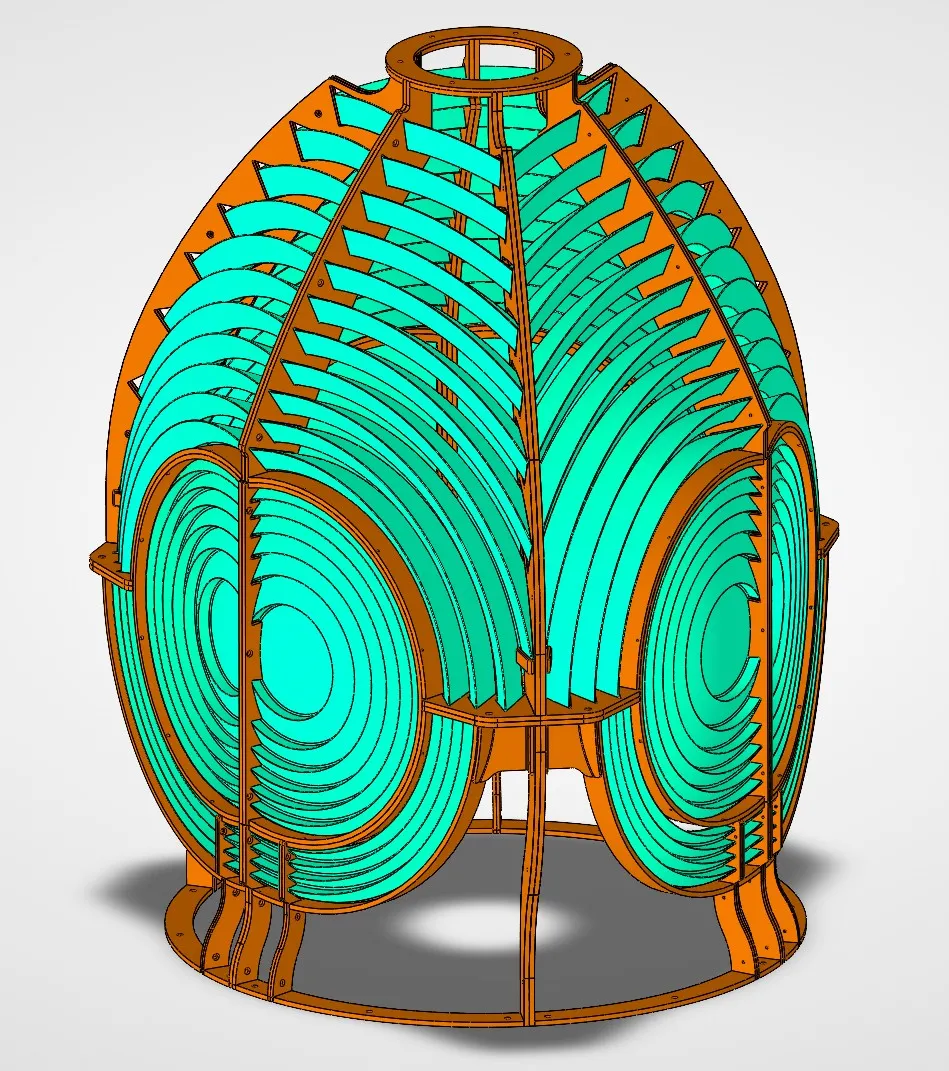
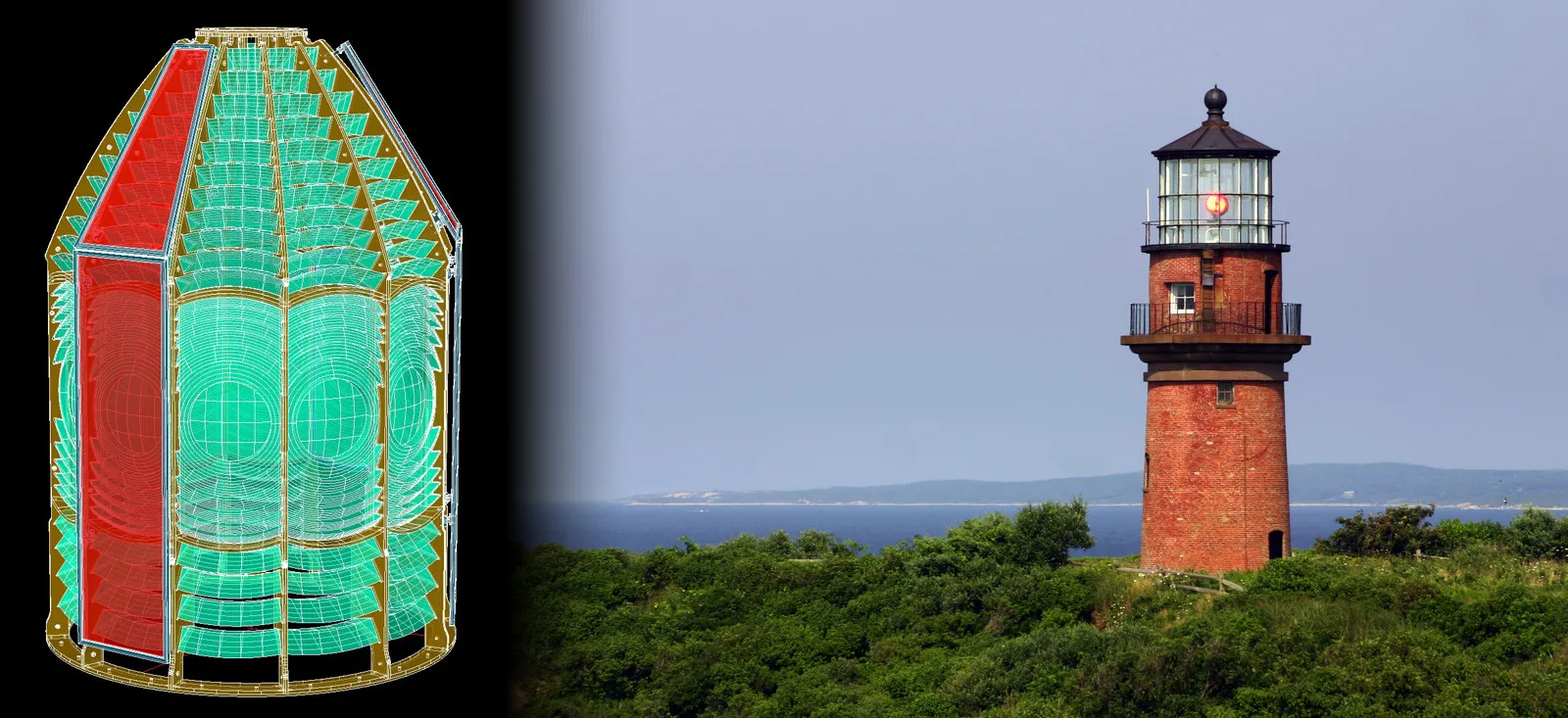
Using DraftSight 2D/3D design software in conjunction with SOLIDWORKS for Makers software, Artworks Florida can create dazzling photorealistic renderings, such as the Punta Tuna third order bivalve lens shown here.
Fresnel lenses are widely used in lighthouses all over the world, and Spinella, owner and mechanical designer at Artworks Florida Classic Fresnel Lenses, LLC, first got involved in restoring and reproducing Fresnel lenses in 1992 when he volunteered to restore the first-order classic lens in the St. Augustine lighthouse. “The lens was vandalized in the late 1980s when someone shot it with a rifle, breaking 13 prisms, and the U.S. Coast Guard was scheduled to dismantle and remove the lens from the tower,” Spinella recalls. “The Junior Service League of St. Augustine promised to raise the funds and find a way to restore the lens if they would be allowed to keep their historic lens in the tower. The lens was successfully restored and relit one year later, with many people, including myself, giving their time to the effort.”
The project led Spinella, who retired from Disney Engineering in 2025 after 36 years designing Disney World rides, animatronics, and attractions, to found his Fresnel lens restoration company following the St. Augustine Lighthouse restoration. Since then, Artworks Florida has handled many Fresnel lens restoration projects around the United States, such as the work on the lenses used at the Ponce Inlet Lighthouse and the Cape Hatteras Lighthouse.
By 2003, Artworks Florida had grown to the point at which the design and production of full-scale reproduction lenses, rather than restored lenses, began. Reproduced lenses are used as interpretive exhibits in museums and as private aids to navigation in many lighthouses around the country. As of mid-2026, Artworks Florida has produced 55 lenses of all sizes. Until recently, Spinella used the AutoCAD® 2D/3D design tools that he had used in his work at Disney. However, after seeing a DraftSight design software presentation, Spinella realized that DraftSight would provide a more efficient and more affordable design solution for managing his growing lens restoration business while also maintaining access to his valuable legacy data and 3D design and visualization capabilities.
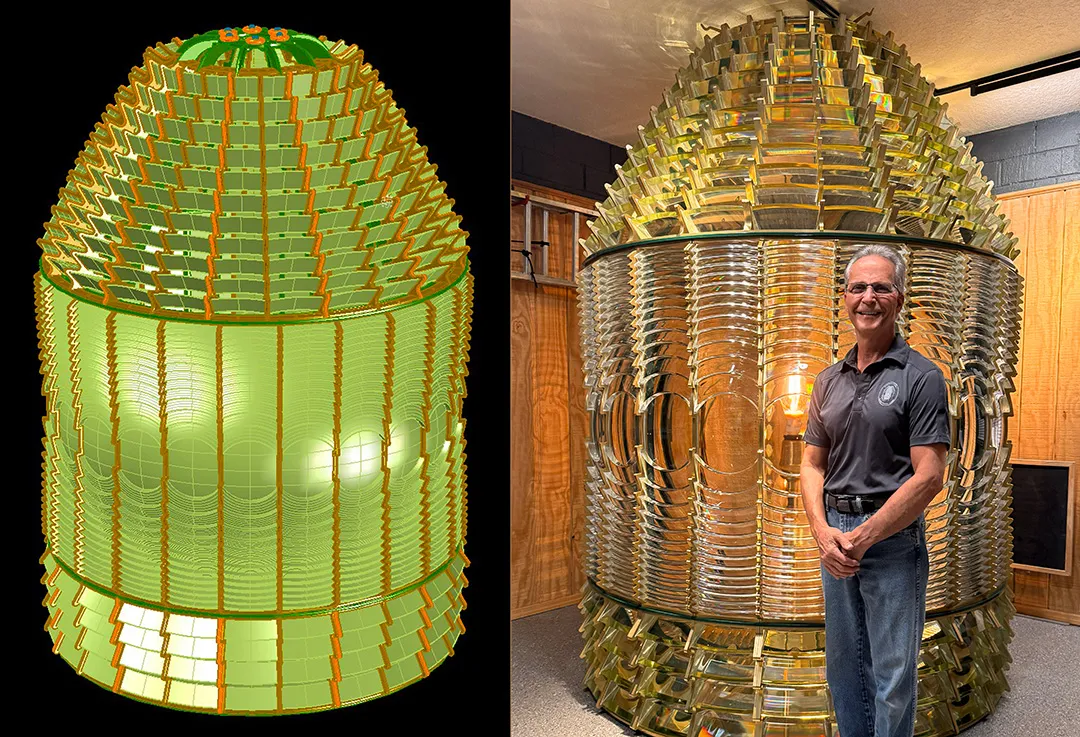
The first project that Dan Spinella of Artworks Florida used DraftSight for was the lens for the granddaddy of all lighthouses. At 198.49 feet tall, the Cape Hatteras Lighthouse is widely recognized as the tallest brick lighthouse in the United States.
Artworks Florida acquired DraftSight Premium 2D/3D design software in 2025 because not only is the software more affordable at roughly one-fourth the cost of AutoCAD, but also because it operates just like AutoCAD and opens all AutoCAD legacy data files. When combined with the firm’s SOLIDWORKS for Makers software, DraftSight enables Spinella to create dazzling photorealistic renderings of his projects, which improve visualization and communication across restoration teams.
“What drew me to DraftSight was the ability to model in 3D and the fact that it costs a lot less, which is a huge advantage,” Spinella explains. “What won me over was the fact that it operates just like AutoCAD and required no training — you can even type in AutoCAD commands and DraftSight will show you the same command in DraftSight — and I can open all of my previous AutoCAD files, which maintains the value in my legacy data.”
Explore the benefits of SOLIDWORKS and DraftSight for AEC professionals. Achieve sustainability, streamline workflows, and enhance collaboration with cutting-edge tools.
SOLIDWORKS
Discover SOLIDWORKS Design, the industry-standard 3D CAD software with cloud collaboration, secure file management, and AI-powered features.
SOLIDWORKS
What drew me to DraftSight was the ability to model in 3D and the fact that it costs a lot less, which is a huge advantage. What won me over was the fact that it operates just like AutoCAD and required no training — you can even type in AutoCAD commands and DraftSight will show you the same command in DraftSight — and I can open all of my previous AutoCAD files, which maintains the value in my legacy data.
Because manufacturing prisms is a specialty that many contract manufacturers cannot complete, it was vitally important that the specialty manufacturers that Artworks Florida has worked with over the years could work with DraftSight data. “I’ve tried different approaches to making prisms,” Spinella explains. “I’ve tried casting them out of acrylic, then tried CNC machining, and then back to casting, both of which require a lot of hand sanding and the use of polishing compounds. Through that process, I’ve identified
PMMA [(poly(methyl methacrylate)] acrylic as the best material for making prisms as well as a specialty prism manufacturer, Imaginarium.
“I also work with Xometry for lamps, pedestals, and components,” Spinella continues. “Because DraftSight operates just like AutoCAD, I can save out the same SAT files that I’ve used for years to manufacture prisms and continue working with valued partners without missing a beat.”
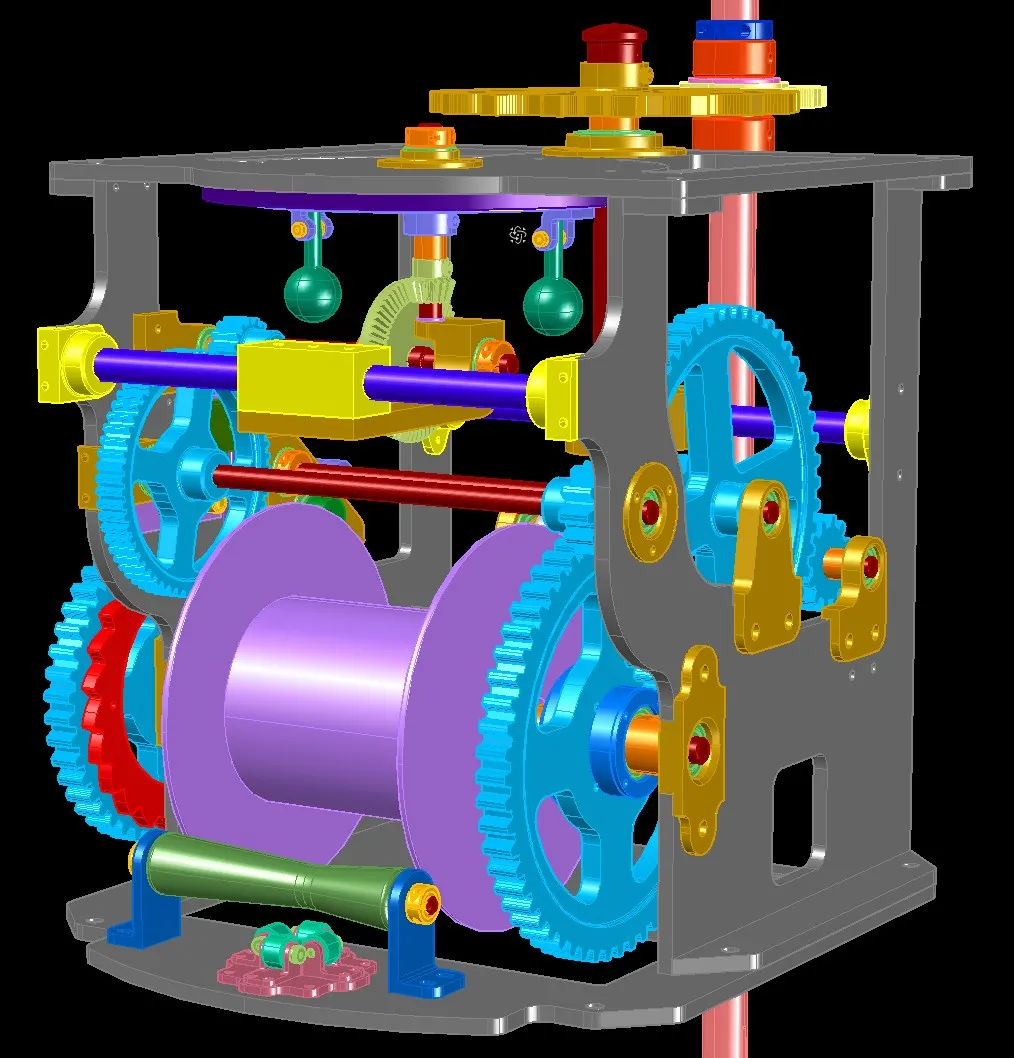
In addition to using DraftSight 2D/3D design software to recreate the Cape Hatteras Lighthouse lens, Artworks Florida also leveraged DraftSight to design and restore the Cape Hatteras Lighthouse clockwork mechanism.
One of the biggest advantages of working with DraftSight compared to working with AutoCAD is the seamless compatibility and ability to work with legacy 3D design models. When Spinella asked a DraftSight representative if 3D design was possible in DraftSight, the response was, “Yes, but why would you want to?” Spinella says it’s because 3D improves visualization, communication, and understanding, especially with members of restoration teams that do not have an engineering background.
“When I design using DraftSight 3D, I can do so much more than just output drawings,” Spinella notes. “I can import models, create flattened views, or take the model into SOLIDWORKS® for Makers to create spectacular renderings, which often show more about a design than an actual photograph.”
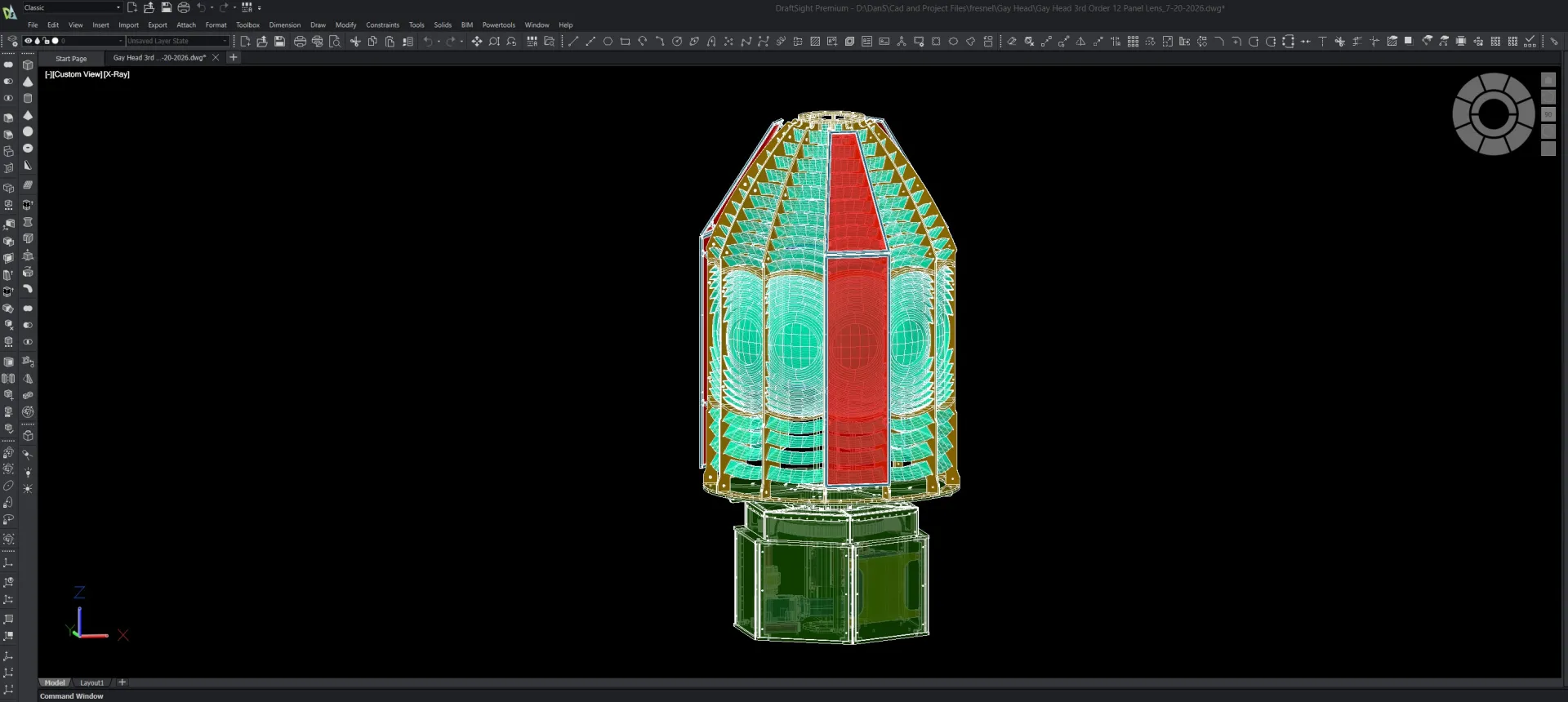
Working in DraftSight 2D/3D design software is more efficient and affordable for Artworks Florida than using the company’s previous AutoCAD tools, and DraftSight enables the company to leverage its legacy design data, avoid training because it functions j
The first restoration project that Spinella used DraftSight on happens to be the largest to date because it involved replacing the lens in the granddaddy of all lighthouses: Cape Hatteras. At 198.49 feet tall, the Cape Hatteras Lighthouse is widely recognized as the tallest brick lighthouse in the United States. “Using a photograph of the Cape Hatteras lens from the early 1900s that the customer provided, I modeled the lens in DraftSight 3D and sent a rendering to the customer, which was very helpful because the customer said the rendering looked just like the original lens,” Spinella says.
“Using DraftSight on the Cape Hatteras Lighthouse lens project — the most expensive restoration to date — helps streamline communication with everyone involved: the customer, the historic preservation people, and my specialty vendors,” Spinella adds. “It’s validated my expectation that DraftSight 3D will help me complete lens restoration projects more efficiently and affordably.”
Learn to Use DraftSight for 2D CAD Alongside SOLIDWORKS – Even If You’ve Never Used 2D CAD BeforeThis webinar is for SOLIDWORKS users - including product designers, mechanical engineers, and technical illustrators - who need to work with 2D CAD for tasks such as updating legacy DWG files, creating schematics, developing wiring diagrams, or producing technical illustrations. No prior 2D CAD experience is required.Even in a 3D-first design world, 2D drafting is often the most efficient and appropriate approach. This on-demand webinar shows SOLIDWORKS users exactly how to get started with DraftSight for those tasks, without the steep learning curve of starting 2D CAD from scratch.
Recorded Webinars
Discover collaborative design, its benefits, and tools to boost teamwork. Learn how SOLIDWORKS empowers innovation with seamless design collaboration.
SOLIDWORKS
Major enhancements to SOLIDWORKS Design, cloud, and product development solutions are released throughout each year. Explore the latest.
SOLIDWORKS
Discover advancements in AI CAD tools and their impact on AI product design and how this delivers real-world outcomes for SOLIDWORKS designers.
SOLIDWORKS
SOLIDWORKS solutions enable you and your team to quickly transform new ideas into great products.