What is 3D CAD Design & Modeling Software?
Discover how 3D CAD software improves precision and teamwork, and how SOLIDWORKS Design can transform your workflow.
SOLIDWORKS
SOLIDWORKS helps an industrial marking equipment maker bring teams and customers together to resolve design issues before fabrication.
Coordinate mechanical design, electrical systems, documentation, suppliers, and customer changes as they converge in custom industrial marking machines.
Implement SOLIDWORKS Design, SOLIDWORKS Electrical, SOLIDWORKS PDM, and SOLIDWORKS Composer for machine design, electrical collaboration, file control and approvals, and technical documentation.
Domino Sweden AB develops and supplies industrial coding and marking equipment. It’s part of the Domino Group, which was formed in 1978 and currently employs 3,000+ people and operates in 120+ countries, with manufacturing facilities in the U.S., U.K., China, Germany, India, Sweden, and Switzerland. Domino Sweden’s Special Solutions team steps in when a conventional marking system is not enough. The group develops complete customer-specific marking stations from requirements analysis and a proposed solution through design, construction, factory acceptance testing, training, and delivery of technical documentation and CAD models.
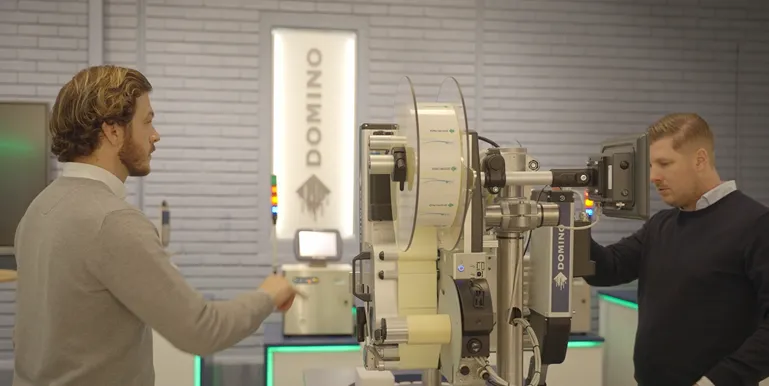
Domino engineers review the touchscreen interface of a laser marking system developed by the company.
Though industrial marking may look simple from the production floor (add a date, serial number, or barcode to a product or package moving along an assembly line), the engineering behind the machinery that accomplishes that task can be quite involved. Also, printing equipment must fit a customer’s production process, communicate with surrounding equipment, be accessible to operators, and arrive with the technical documentation needed to build, operate, maintain, and service the system.
All these requirements put the Domino engineering team at the intersection of several disciplines. Mechanical structures must accommodate Domino printing equipment. Electrical work must be aligned with a machine’s design. Released files must reach suppliers in usable form. Manuals and spare-parts information must reflect the finished machine. Finally, customers need enough visibility during development to catch practical design or system issues before they become costly alterations to physically built machines.
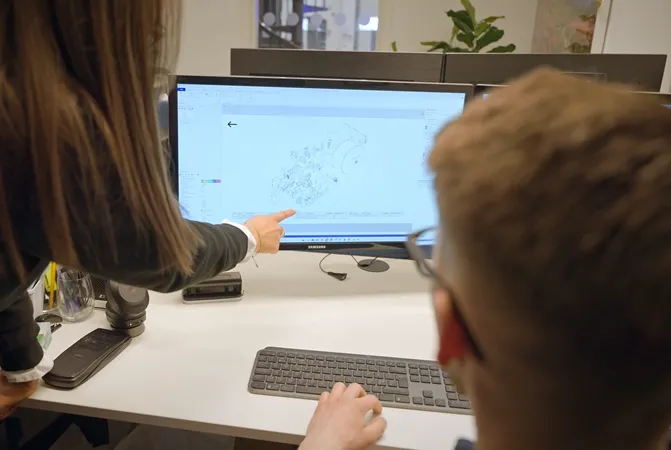
Domino Sweden team members examine a label applicator, one of the Domino products integrated into custom marking stations.
Discover how 3D CAD software improves precision and teamwork, and how SOLIDWORKS Design can transform your workflow.
SOLIDWORKS
Make better design decisions with high-performance structural finite element analysis (FEA) software
SOLIDWORKS
When the team started using both SOLIDWORKS Design and SOLIDWORKS Electrical, it connected those disciplines more closely, and it became easier to expose errors and mistakes earlier in development.
For the Domino mechanical team, a custom machine is not finished when the geometry looks right. The machine design must pass review and release before parts can be ordered and fabrication can begin. Domino uses SOLIDWORKS® Design for its mechanical design work and SOLIDWORKS PDM to manage files and the approval process. SOLIDWORKS PDM provides version control and configurable workflows for storing, reviewing, and releasing engineering data.
According to Mechanical Engineer Herman Sörensen, “Using SOLIDWORKS PDM makes our work a lot more structured.” Domino has tailored its PDM workflow around the way the team designs, checks, and releases its work. Colleagues can review files before release, while automatically generating files after approval simplifies the process of gathering the data needed to order parts from suppliers. Sörensen emphasizes that the automation has saved the team a considerable amount of time.
Electrical development presented another coordination problem. “Before using SOLIDWORKS Electrical, we didn’t have that much collaboration between the mechanical design and the electrical design teams,” explains Solution Programmer Hampus Gustafsson. “When the team started using both SOLIDWORKS Design and SOLIDWORKS Electrical, it connected those disciplines more closely, and it became easier to expose errors and mistakes earlier in development.”
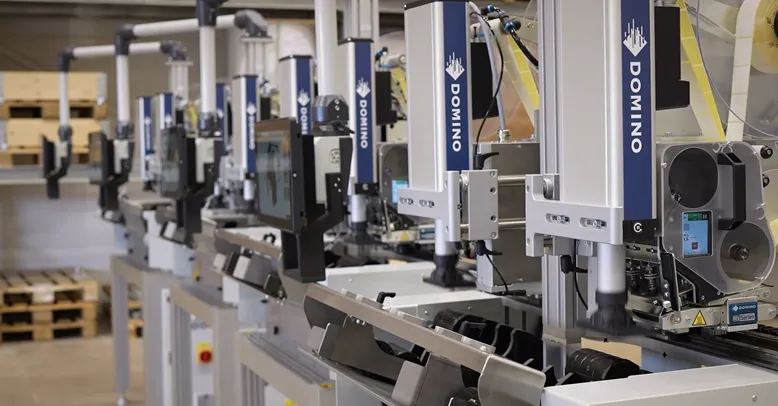
A row of Domino label applicators operates on a custom-built line. Special Solutions designs each station around the customer’s production process.
The value of the SOLIDWORKS Design environment at Domino comes less from any single tool than from the way the tools support various stages of the machine-development process. SOLIDWORKS Design supports the mechanical model and drawings. SOLIDWORKS Electrical supports electrical design and closer mechanical/electrical coordination. SOLIDWORKS PDM provides a structured workflow for checking, releasing, and generating files.
Technical documentation is another part of the product development chain enhanced through SOLIDWORKS. Before leveraging SOLIDWORKS Composer™, Domino created assembly drawings and spare-parts catalogs using the SOLIDWORKS drawing environment. Sörensen recalls that process “took a lot of time.” With SOLIDWORKS Composer, the team can produce those drawings faster and create interactive illustrations for more detailed service instructions, such as showing how a component should be replaced. SOLIDWORKS Composer interfaces directly with 3D engineering data to create technical illustrations, instructions, manuals, and interactive content.
Documentation requirements also extend into electrical design. Gustafsson observes that customers are asking for more detailed documentation, and SOLIDWORKS Electrical helps the team meet those requests. The software also gives Domino another advantage vital to custom engineering: design reuse. Existing electrical projects and component information can be reused rather than rebuilt from scratch, saving both time and money.
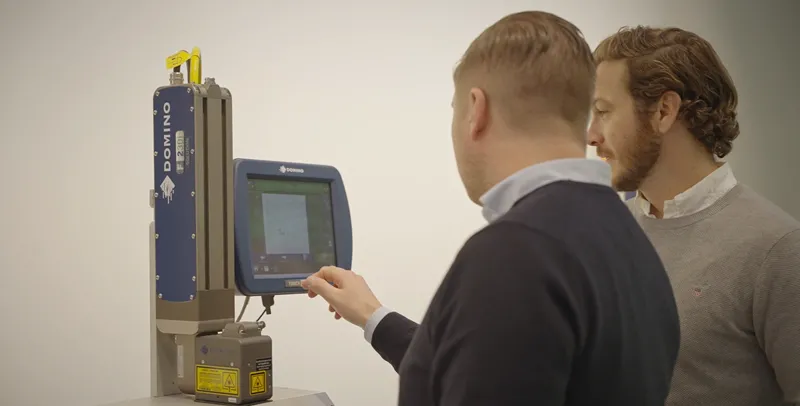
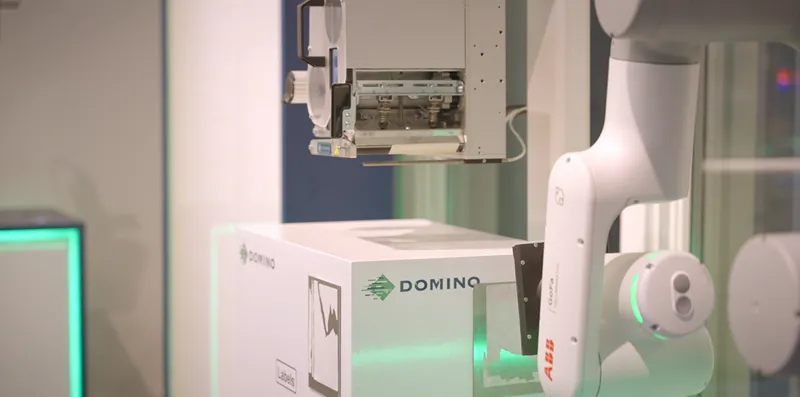
A Domino label applicator working with a collaborative robot arm shows how custom stations integrate with surrounding equipment.
Earlier visibility enhances more than engineering. It also affects how project managers, suppliers, and customers participate in development.
According to Project Manager Sara Karajica, “The combination of Electrical, Composer, and PDM has improved our internal collaboration.” She also notes that the tools give her a clearer view of project scope and machine complexity, which helps her plan better. Visibility helps project managers understand how the machine is coming together well before physical fabrication begins.
The same principle extends outside Domino. Sörensen appreciates how suppliers can better understand the application and recommend appropriate products when the team uses the design itself to show how components fit into the overall machine. An illustrative design is far better than communicating only through part numbers or written descriptions.
Domino makes certain to involve customers throughout each project so they can understand each machine and provide input while the design is still digital. Karajica offers one simple example: A customer wants to change the orientation of a door. “That’s much easier to change within the system [via the digital design] than in reality later on.” This reduces rework as well as the accompanying cost, time, and frustration.
For Domino, the digital model and its associated engineering data have become communication tools as much as design deliverables. Mechanical engineers can move work through a defined release process. Both electrical and mechanical development can be reviewed with greater mutual awareness. Project managers can examine a machine in greater detail before it is physically built. Suppliers get a clearer context regarding parts and components. And customers can evaluate and comment on bespoke designs early in the design process.
“We put a lot of time and effort into including our customers during the whole project to get a better understanding of the machine at an early stage and also [to enable them] to get back [to us] with input,” concludes Karajica. That involvement gives the team a practical checkpoint before fabrication turns a design decision into hardware.
Innovate faster, design better & grow your career with SOLIDWORKS. Choose the industry standard 3D CAD solution trusted by professionals worldwide.
SOLIDWORKS
Discover collaborative design, its benefits, and tools to boost teamwork. Learn how SOLIDWORKS empowers innovation with seamless design collaboration.
SOLIDWORKS
Explore SOLIDWORKS Design 2027: AI Virtual Companions, parts, assemblies, drawings and 3D CAD enhancements.
SOLIDWORKS
Discover advancements in AI CAD tools and their impact on AI product design and how this delivers real-world outcomes for SOLIDWORKS designers.
SOLIDWORKS
SOLIDWORKS solutions enable you and your team to quickly transform new ideas into great products.