What is 3D CAD Design & Modeling Software?
Discover how 3D CAD software improves precision and teamwork, and how SOLIDWORKS Design can transform your workflow.
SOLIDWORKS
Packaging automation manufacturer uses SOLIDWORKS Design and the 3DEXPERIENCE platform to build and evaluate equipment concepts in 3D before releasing designs for in-house fabrication.
Design and fabricate custom packaging automation systems while multiple designers work on separate layouts, reuse common components without file conflicts, and validate each system before cutting steel.
SOLIDWORKS Design for product development and the 3DEXPERIENCE platform for file sharing and data management.
Automating the packaging process typically requires designing multiple machines. For example, bagging equipment may need to connect with palletizing, pallet wrapping, or stretch hooding systems in a bespoke configuration. (A stretch hooding system is a machine that pulls a strong plastic cover over a stack of products on a pallet.) The engineering work ranges from the overall system layout, which can be quite complex, to the steel sections and sheet-metal profiles that fabricators must cut and assemble.
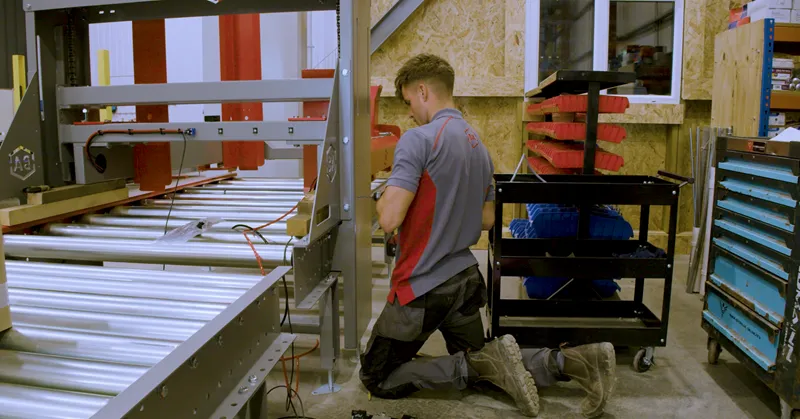
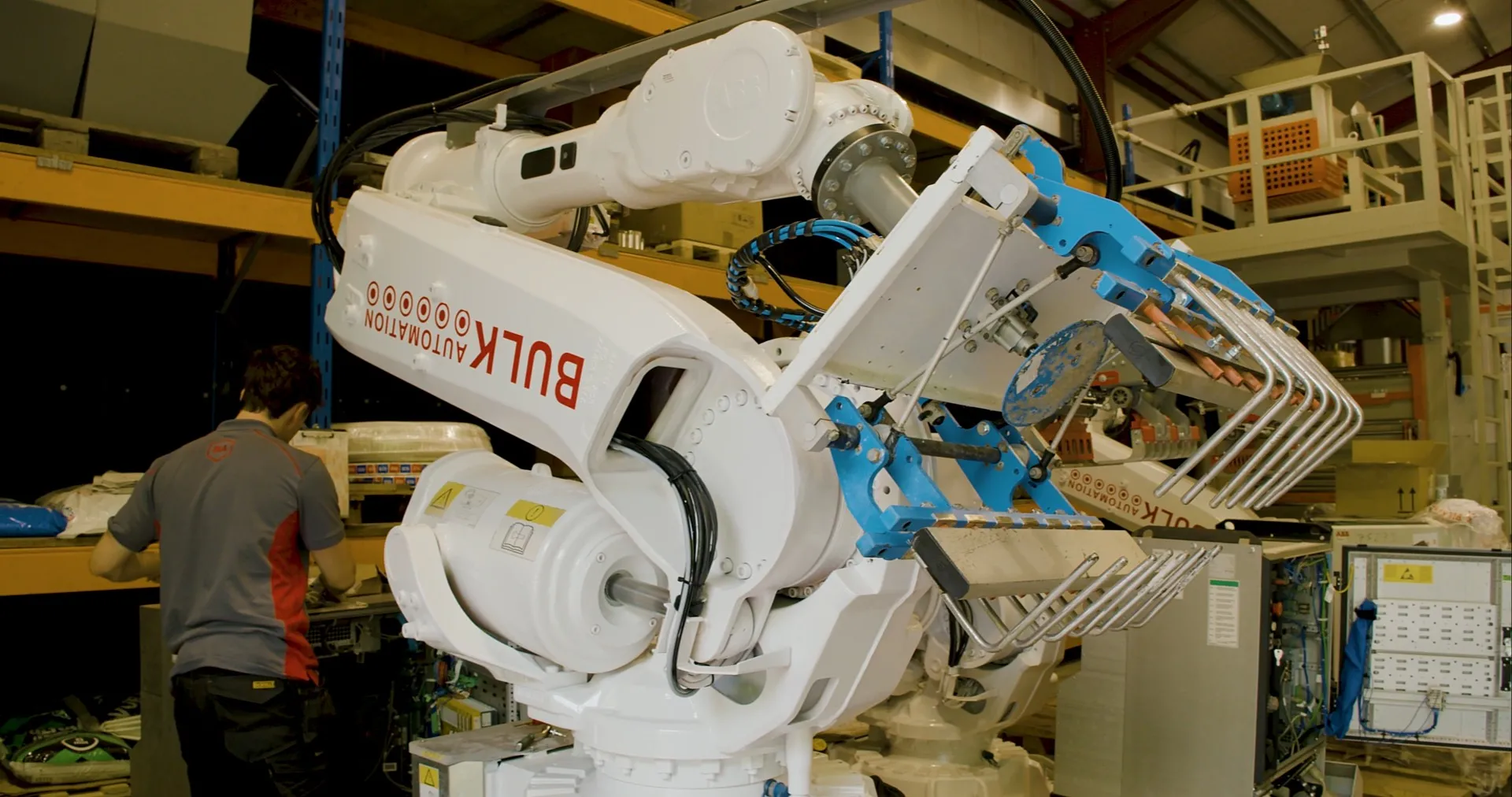
Bulk Automation - Shop assembly in progress
Bulk Automation was founded in the UK in 2018 with four employees. By 2026, the company had grown to 32 employees and purchased its manufacturing facility. Bulk Automation develops turnkey automation systems primarily for companies that package construction aggregates, such as sand and gravel, and animal feed throughout the UK and Ireland. Its equipment spans automatic bagging, palletizing, stretch hooding, pallet wrapping, and related packaging operations.
Bulk Automation designs, manufactures, and assembles its equipment in-house, so the engineering team has direct responsibility for moving each customer-specific system from first layout through fabrication and final assembly.
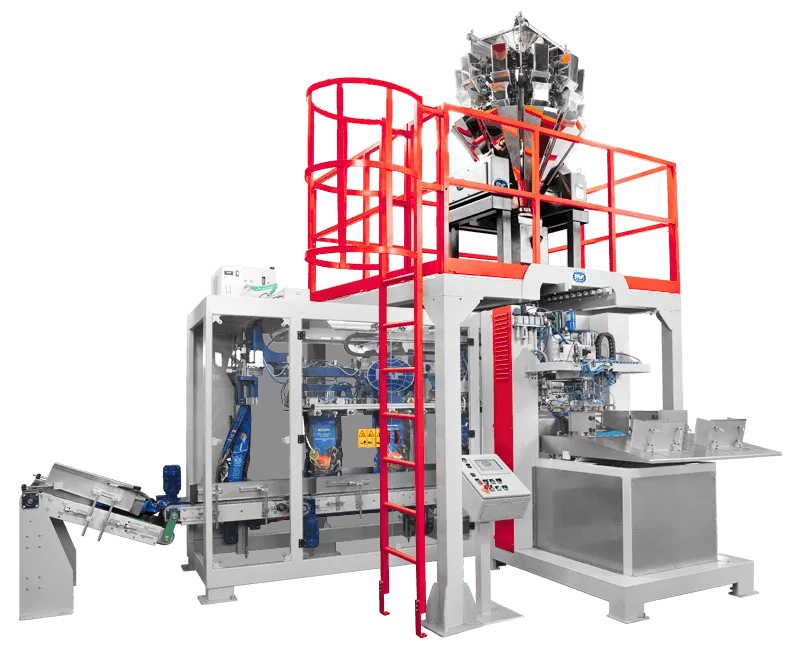
Bulk Automation designs, manufactures, and assembles its equipment in-house
For a growing manufacturer, design control must scale with the number of simultaneous projects. Bulk Automation’s three designers may be developing up to three system layouts simultaneously. They need to reuse common parts without interfering with one another's work or compromising the master files. At the same time, each model must provide dependable information for cutting structural members, preparing sheet metal profiles, and welding and assembly.
According to Design Engineer Ieuan Evans, “It's very important for us because we can take a project from raw steel arriving at the front gate to a finished product rolling out the door, all under our control.” That control places the digital design at the center of a connected in-house process.
Discover how 3D CAD software improves precision and teamwork, and how SOLIDWORKS Design can transform your workflow.
SOLIDWORKS
Make better design decisions with high-performance structural finite element analysis (FEA) software
SOLIDWORKS
Can advanced cloud-enabled simulation save the day from the zombie horde?
SOLIDWORKS
[SOLIDWORKS] gives us the ability to prove out concepts without having to prototype machinery in physical form. We can design and build a system virtually and see how it will work before we cut a single piece of steel.
Bulk Automation uses SOLIDWORKS across the company as it designs its equipment in house. SOLIDWORKS® Design provides a 3D environment for developing the machinery and complete system layouts. “As a fabrication-heavy company, we rely heavily on SOLIDWORKS,” Evans notes. The team uses the SOLIDWORKS Weldments feature to define the correct lengths for fabricated sections and support proper welding. In addition, SOLIDWORKS Sheet Metal tools generate accurate profiles for the company's plasma and laser cutters. Those profiles are then assembled with the cut structural sections.
The 3DEXPERIENCE® platform streamlines design data management. Each designer can access shared models from a PC, work concurrently on different layouts, and reuse common parts. Built-in data management maintains a controlled source of design data, manages CAD relationships and revisions, and prevents one designer from overwriting another’s changes.
The same 3D data also serves other parts of the business. The team uses eDrawings to share a fixed 3D representation while preparing quotations and starting projects. After an order is placed, those models support in-house fabrication and assembly. The marketing team uses SOLIDWORKS Visualize to create renderings for marketing materials and social media.
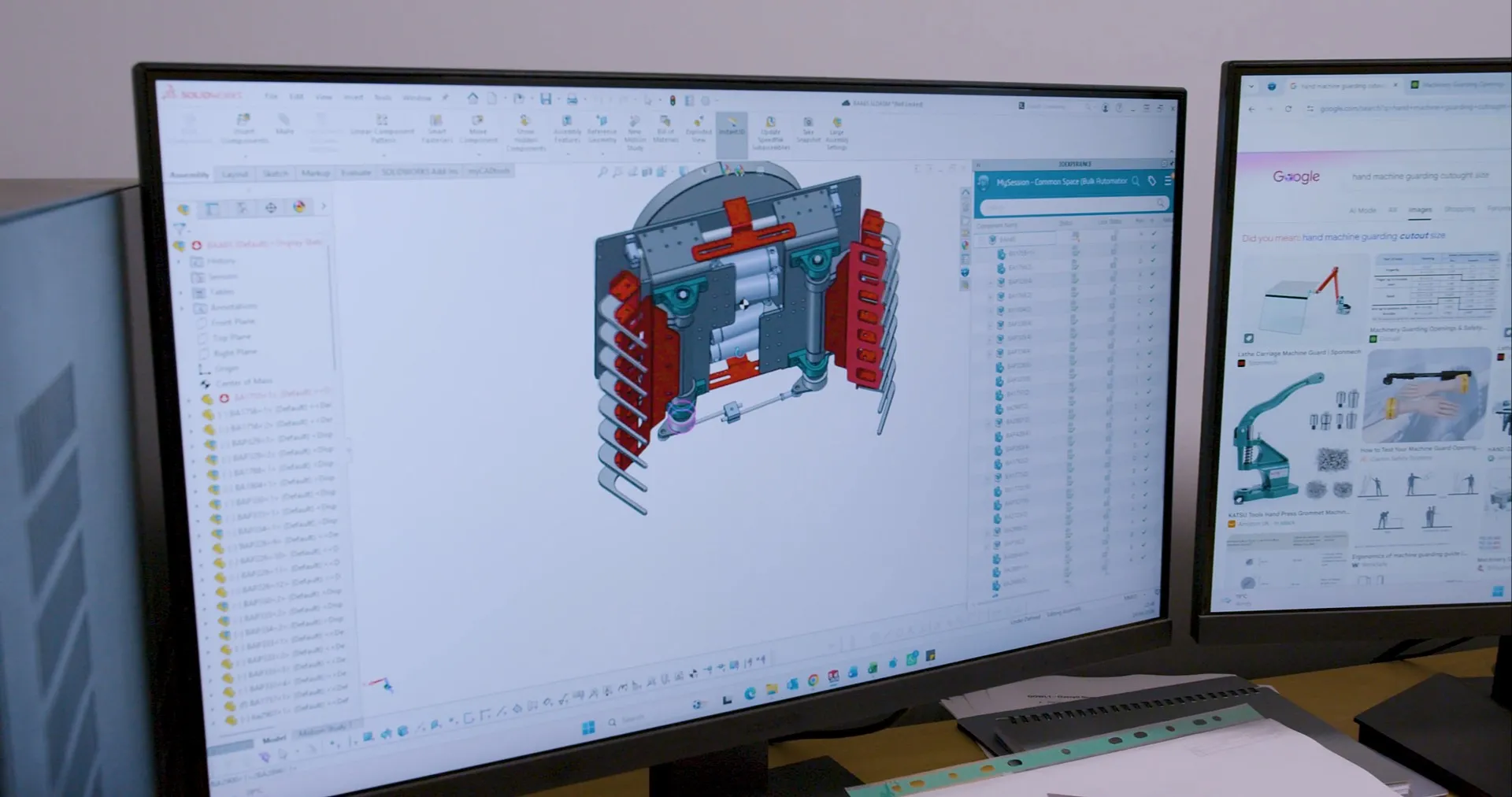
Bulk Automation Scales Manufacturing with SOLIDWORKS
The most consequential benefit appears before manufacturing begins. “It gives us the ability to prove out concepts without having to prototype machinery in physical form,” explains Director Mark Sargent: “We can design and build a system virtually and see how it will work before we cut a single piece of steel.” This allows the team to examine the system as a digital assembly before committing to materials and fabrication.
Digital proofing reduces the expense of validating equipment through physical builds. “That reduces the cost of proving out equipment before we actually make it. SOLIDWORKS has saved us a massive amount of time,” enthuses Sargent.
Connecting SOLIDWORKS to the 3DEXPERIENCE platform creates a controlled path from design through fabrication. CAD-specific data and revision controls help designers work concurrently by managing file relationships, editing access, and revisions. This gives team members access to current parts, assemblies, and drawings while preventing them from overwriting one another’s work. The result is a more reliable handoff from engineering to production, with fewer opportunities for outdated information or misinterpretation to cause rework.
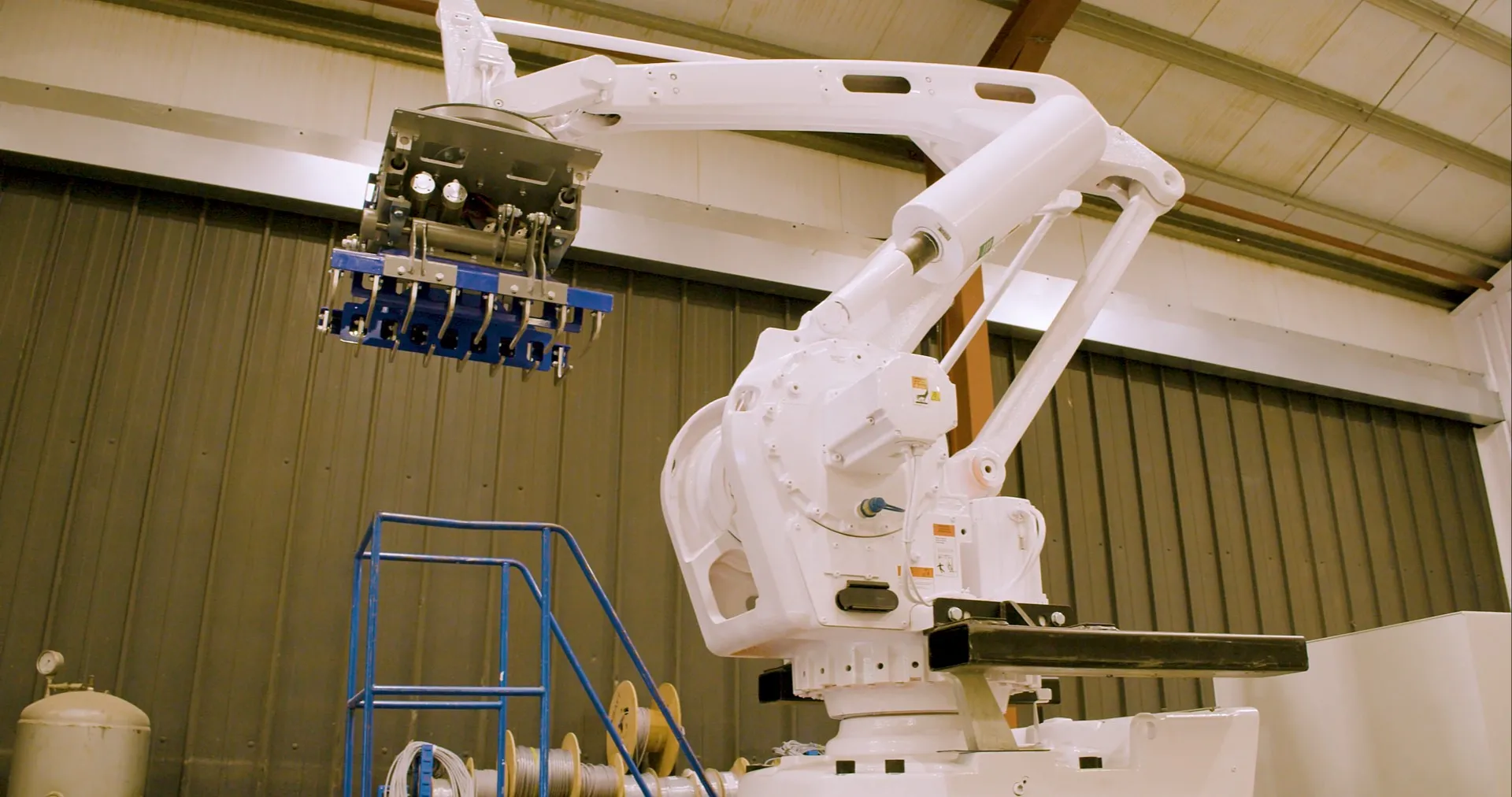
Bulk Automation designs and delivers custom-engineered turnkey automation systems for customers
Bulk Automation’s next objective is to expand its portfolio of in-house-developed equipment while continuing to deliver custom-engineered turnkey automation systems for customers. “Looking ahead, we want to continue developing our own equipment and growing the size and revenue of the business. SOLIDWORKS will be a key tool in making that happen,” concludes Sargent.
For a packaging automation manufacturer, growth depends on converting custom system ideas into fabrication-ready designs while paying close attention to manufacturability.
Innovate faster, design better & grow your career with SOLIDWORKS. Choose the industry standard 3D CAD solution trusted by professionals worldwide.
SOLIDWORKS
Discover collaborative design, its benefits, and tools to boost teamwork. Learn how SOLIDWORKS empowers innovation with seamless design collaboration.
SOLIDWORKS
Major enhancements to SOLIDWORKS Design, cloud, and product development solutions are released throughout each year. Explore the latest.
SOLIDWORKS
Discover advancements in AI CAD tools and their impact on AI product design and how this delivers real-world outcomes for SOLIDWORKS designers.
SOLIDWORKS
SOLIDWORKS solutions enable you and your team to quickly transform new ideas into great products.